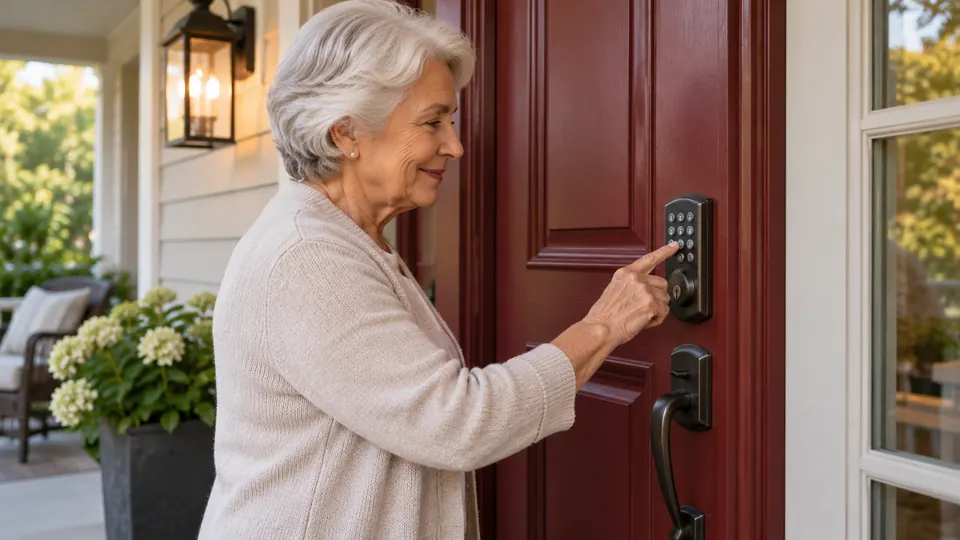
A front door can become a daily nuisance when keys are easy to misplace, small buttons are difficult to read, or a lock requires a phone for every simple entry. Smart locks for seniors can reduce those hassles with fingerprint access, large backlit keypads, physical keys, and automatic locking. The right choice depends less on having the longest feature list and more on matching the entry method to the person using the door.
Installation and everyday operation deserve close attention. A lock may fit standard doors yet still require careful latch alignment, a specific door thickness, or a particular handing setup. Fingerprint access can be convenient for someone who dislikes remembering PINs, while a keypad may be preferable for caregivers or family members who need temporary codes. Battery alerts, emergency power, physical key backup, and clear app controls also matter because a smart lock should simplify access rather than create another chore.
The products below represent several useful approaches, from built-in Wi-Fi models that support remote monitoring to simpler Bluetooth locks that rely on a gateway for away-from-home control. The rankings weigh access methods, installation information, battery details, emergency entry, and the practical needs of households seeking easier door access.
Quick Answer
Best Overall: The Veise VE027-K combines fingerprint entry, a backlit keypad, physical keys, built-in Wi-Fi, access logs, and flexible codes. It is a strong fit for households that want remote oversight without buying a separate gateway.
Best for Simple Fingerprint Access: The Philips Upgraded Wi-Fi Smart Lock places the fingerprint reader on the handle, allowing a person to identify themselves and turn the handle in one motion.
Best for Existing Deadbolt Compatibility: The eufy Security Smart Lock C220 is a deadbolt-focused option with built-in Wi-Fi, several entry methods, physical key backup, and compatibility with standard deadbolts.
Best for Access-Code Flexibility: The Veise VE017 supports fingerprints, codes, fob cards, app control, and mechanical keys, with several code types for family, visitors, and caregivers.
Best Smart Locks for Seniors Comparison Table
| Product | Best For | Entry Methods | Connectivity |
|---|---|---|---|
| Veise VE027-K | Best overall | Fingerprint, PIN, key, app, card, voice | Built-in 2.4GHz Wi-Fi |
| Philips Upgraded Wi-Fi Smart Lock | One-motion handle entry | Fingerprint, PIN, key, app, voice | Built-in 2.4GHz Wi-Fi |
| eufy Security C220 | Deadbolt replacement | Fingerprint, keypad, key, app, Apple Watch, voice | Built-in Wi-Fi |
| Veise VE017 | Flexible codes and fingerprint access | Fingerprint, PIN, fob, key, app | Bluetooth, gateway for remote access |
| Philips Wi-Fi Keypad Deadbolt | Complete handle upgrade | Fingerprint, PIN, key, app, voice | Built-in 2.4GHz Wi-Fi |
| Bluetooth Fingerprint Smart Lock | Multiple local entry choices | Fingerprint, PIN, fob, key, app | Bluetooth, gateway for voice control |
| Fingerprint Smart Door Lock | Reversible handle installation | Fingerprint, PIN, fob, key, app | Bluetooth, optional Wi-Fi gateway |
| Philips Wi-Fi Keypad Door Lock | Keypad and remote app control | Fingerprint, PIN, key, app, voice | Built-in 2.4GHz Wi-Fi |
| Yamiry Smart Door Handle Lock | Temporary passcodes | Fingerprint, PIN, fob, key, app | Bluetooth, gateway for remote access |
The detailed reviews explain where each lock fits, what its installation demands, and which compromises deserve attention before ordering.
1. Veise VE027-K — Best Overall

The VE027-K is the most balanced choice in this group because it gives a household several straightforward ways to enter. A fingerprint reader, backlit touchscreen, physical key, IC card, app, and voice control can each serve a different situation. Someone leaving without a phone can use a fingerprint or PIN, while a family member or caregiver can receive a managed code.
Built-in 2.4GHz Wi-Fi allows remote app control without a separate hub. The listing also describes access logs, battery status, alerts, and four types of digital keys, including permanent, scheduled, one-time, and expiring codes. Its 1-3/8 to 2-inch door-thickness range and automatic handing detection are useful, although the door still needs compatible preparation and accurate latch alignment.
Pros
- Fingerprint, keypad, physical key, IC card, app, and voice entry options.
- Built-in Wi-Fi supports remote control without a separate gateway.
- Scheduled, one-time, expiring, and permanent codes support varied access needs.
- Backlit touchscreen and automatic locking can simplify evening and hands-full entry.
- IP65 protection and a listed 1-3/8 to 2-inch door range suit many exterior residential doors.
Cons
- Eight AA batteries are required and are sold separately.
- Compatibility still depends on the door preparation and latch alignment.
This is the strongest pick for someone who wants a broad set of entry choices plus remote visibility in one unit. It also makes sense for households managing regular helpers, since access can be assigned and revoked through the app. Buyers who prefer a simple mechanical-looking deadbolt may find the touchscreen and app features more involved than necessary.
To buy this product, click here.
2. Philips Upgraded Wi-Fi Smart Lock — Best for One-Motion Handle Entry

The fingerprint reader on the handle is the defining feature here. Instead of touching a separate sensor and then operating a lever, the listed design lets the user place a thumb on the handle and turn it after recognition. That single motion may feel more natural for someone who finds separate keypad and handle actions awkward.
This Philips model also supports up to 100 passwords, with permanent, scheduled, and temporary options described in the listing. Built-in Wi-Fi enables remote locking, unlocking, notifications, and activity records through the Philips Home Access app. The passage and privacy modes add useful flexibility, but the buyer should verify that the complete handle configuration suits the existing door before installation.
Pros
- Fingerprint reader is integrated into the handle for one-motion entry.
- Built-in Wi-Fi provides remote app access without a separate hub.
- Supports up to 100 listed passcodes and several code types.
- Includes physical key backup and voice control through Alexa or Google Assistant.
- Passage mode, privacy mode, and adjustable auto-lock support different routines.
Cons
- It uses 2.4GHz Wi-Fi and depends on a suitable router location.
- Its 1-3/8 to 1-3/4-inch door range is narrower than some competing models.
This lock suits a front door where turning a handle feels easier than manipulating a separate deadbolt thumb turn. The app and large password capacity are helpful for households with several trusted users. It may be less suitable for someone who wants a conventional deadbolt-only replacement or whose door falls outside the listed thickness range.
To buy this product, click here.
3. eufy Security Smart Lock C220 — Best for Deadbolt Replacement

The C220 focuses on the deadbolt format and offers a clean mix of fingerprint, keypad, app, physical key, Apple Watch, and voice access. That range gives the resident a simple daily method while leaving several backups for visitors or an unexpected phone problem. Its self-learning fingerprint description may appeal to someone who wants fewer keypad interactions.
Built-in Wi-Fi supports remote app control without a bridge, and the product can join routines in the eufy ecosystem when paired with a compatible eufy doorbell. The listing identifies compatibility with most standard deadbolts and bores under 54mm after removing the spacer. It also lists IP53 protection, a BHMA Grade 3 claim, and an operating range of -22°F to 158°F.
Pros
- Six listed entry methods include fingerprint, keypad, physical key, app, Apple Watch, and voice.
- Built-in Wi-Fi enables remote control without a separate bridge.
- Physical key backup remains available for electronic access problems.
- Listed compatibility with standard deadbolts supports common replacement projects.
- Low-battery alerts and unusual-attempt alarms add useful status information.
Cons
- The listed battery estimate is up to eight months and may vary with use.
- It is a deadbolt product, so a separate handle may still be needed for some doors.
The C220 is a sensible choice for a household already using eufy products or wanting a deadbolt-centered installation with built-in Wi-Fi. Its Apple Watch entry is a distinct convenience for users who regularly wear one. Confirm the existing bore and deadbolt arrangement before ordering, since “standard” does not mean every door preparation will match.
To buy this product, click here.
4. Veise VE017 — Best for Flexible Access Codes

The VE017 stands out for the number of ways a household can organize access. Fingerprint entry, PINs, fob cards, app control, and a mechanical key cover daily use, visitors, and backup entry. Its code system includes one-time, duration, permanent, and recurring options, which can be useful when a caregiver visits on a predictable schedule or a family member needs ongoing access.
The listing describes local storage of credentials and entry records, alerts, silent mode, and an away mode. Remote locking and unlocking require the separately sold Veise G1 gateway, so the lock should be viewed as a Bluetooth-first product unless that accessory is added. Installation is listed for 1-3/8 to 2-inch doors, with 1-1/2 or 2-inch bore options and automatic left or right handing detection.
Pros
- Supports fingerprints, PINs, fob cards, app control, and a mechanical key.
- One-time, recurring, duration, and permanent code options provide useful control.
- USB-C emergency power input provides an additional entry contingency.
- Listed battery estimate is about 12 months with four AA alkaline batteries.
- IP55 protection and a broad listed door-thickness range support many exterior installations.
Cons
- Remote locking and unlocking require the separately sold G1 gateway.
- Four AA batteries are not included.
This model fits households that value credential management more than hub-free remote operation. A resident can use a fingerprint or PIN, while a helper can receive a limited code that can later be removed. Choose another model if remote access must work immediately without buying an additional gateway.
To buy this product, click here.
5. Philips Wi-Fi Keypad Deadbolt — Best for a Complete Handle Set

This Philips option packages a deadbolt and matching handle, which can simplify a front-door refresh where both pieces need replacement. Fingerprint entry, a backlit keypad, app control, voice commands, and a physical key give the user several routes through the door. Auto-lock can be set from zero to 180 seconds, but the listing says it is turned off by default.
Its built-in Wi-Fi connects directly to a 2.4GHz router, with remote app control, access history, user management, and lock-status checks. The product supports permanent, one-time, periodic, and recurring PINs. Door thickness is listed at 1-3/8 to 1-3/4 inches, and left-opening doors require a reset for the opening direction, details worth handling before the final installation.
Pros
- Includes a matching handle with the deadbolt assembly.
- Fingerprint, keypad, app, voice, and physical key access are supported.
- Built-in Wi-Fi provides remote control without a separate hub.
- Permanent, one-time, periodic, and recurring PINs support varied users.
- Backlit keypad and adjustable auto-lock can simplify routine entry.
Cons
- Auto-lock must be enabled manually through the app.
- The listed door-thickness range ends at 1-3/4 inches.
This is a useful route for someone replacing a complete front-door lock set rather than keeping an existing handle. The direct Wi-Fi connection reduces extra hardware, while the physical key provides a familiar fallback. Check the handing, door thickness, and router position carefully, since a nearby 2.4GHz connection is part of the intended setup.
To buy this product, click here.
6. Bluetooth Fingerprint Smart Lock — Best for Multiple Local Entry Methods

Some households want a smart lock without making every person use an app. This handle-and-keypad model offers fingerprint, code, fob, app, and physical-key entry, giving each user a familiar choice. The listed auto-lock and one-touch locking functions can also help someone who often reaches the doorway with bags, groceries, or a walking aid.
The lock is described for standard US doors from 1-3/8 to 2-1/4 inches thick and installs with a screwdriver without drilling. Permanent, one-time, and time-limited codes support family and visitor access. Alexa and Google Assistant control requires a gateway, so its basic Bluetooth operation should be separated from remote smart-home control.
Pros
- Six listed unlocking methods include fingerprint, keypad, fob, app, code, and key.
- Supports permanent, one-time, and time-limited visitor codes.
- Listed door range extends from 1-3/8 to 2-1/4 inches.
- Auto-lock and one-touch locking support simple daily routines.
- Handle installation is described as a no-drilling screwdriver project.
Cons
- Voice control requires pairing with a gateway.
- The listing does not provide a battery-life figure.
This lock makes sense for a home where different people prefer different credentials and remote control is optional rather than central. Its broad door-thickness listing is useful, but buyers should still confirm the existing hardware and latch dimensions. Those who need built-in Wi-Fi and detailed remote monitoring may prefer one of the Wi-Fi models above.
To buy this product, click here.
7. Fingerprint Smart Door Lock — Best for Reversible Handle Installation

The reversible handle is the practical detail that gives this model its place in the ranking. Door handing can complicate replacement projects, so a handle that supports left and right doors may reduce one source of confusion. Entry options include fingerprint, keypad, app, fob, and physical key, which covers simple daily use and backup access.
The listing also describes guest-code creation through the app or web interface, access records, and optional remote control through a Sifely Wi-Fi Gateway. That means local app features and away-from-home functions are separate considerations. The product is aimed at standard door replacements and is described as installing without additional drilling, but the exact existing door preparation still needs checking.
Pros
- Reversible handle supports left- and right-handed doors.
- Fingerprint, keypad, app, fob, and physical key entry are listed.
- Guest access codes and access records support helper management.
- Installation is described as a quick, no-drilling replacement.
- Optional gateway enables remote access and voice-control features.
Cons
- Remote access requires the optional Sifely Wi-Fi Gateway.
- The listing does not specify a battery-life estimate.
This choice suits a household that wants a complete handle lock and values handing flexibility. It can also work for properties where temporary visitor codes matter, provided the required gateway setup is acceptable. Buyers who want direct Wi-Fi operation out of the box should choose a built-in Wi-Fi model instead.
To buy this product, click here.
8. Philips Wi-Fi Keypad Door Lock — Best for App-Monitored Keypad Entry

This Philips listing offers the same general access pattern many households want from a connected front-door lock: fingerprint entry for quick arrival, a PIN for people who do not want biometric access, app control for the administrator, and a physical key for emergencies. The included handle makes it a complete replacement set rather than a keypad component alone.
Remote control and access history run through the Philips Home Access app over built-in 2.4GHz Wi-Fi. The listing supports permanent, one-time, periodic, and recurring codes, plus adjustable auto-lock. The stated 1-3/8 to 1-3/4-inch door range is a key limitation, and eight AA alkaline batteries are required but not included.
Pros
- Includes a matching handle with the keypad deadbolt.
- Supports fingerprint, PIN, app, voice, and physical key entry.
- Built-in Wi-Fi avoids the need for a separate bridge.
- Multiple PIN types support family, helpers, and occasional visitors.
- Adjustable auto-lock and app status checks support routine oversight.
Cons
- It requires eight AA alkaline batteries, which are sold separately.
- The listed door range is limited to 1-3/8 to 1-3/4 inches.
This model belongs on the shortlist for someone who wants a keypad and handle replacement with direct app connectivity. Its feature set appears very close to the other Philips keypad listing, so shoppers should compare the exact finish, included hardware, and current listing details before choosing between them. Door measurements remain more important than the similar-looking exterior.
To buy this product, click here.
9. Yamiry Smart Door Handle Lock — Best for Temporary Passcodes

The Yamiry model focuses on flexible access through a handle-style lock. Fingerprint, Bluetooth app control, passcodes, fobs, mechanical keys, and optional voice control give a household several ways to get inside. Its app can generate permanent or temporary access and record unlock activity, which is useful when a caregiver or service provider needs entry without receiving a permanent key.
The listing describes a roughly 10-minute screwdriver installation for many standard American wooden front doors and a reversible handle for either side. Remote access and Alexa control require a separately sold Wi-Fi gateway. The product information does not state a battery-life estimate, so battery replacement planning should be based on the lock’s low-battery behavior and current instructions.
Pros
- Fingerprint, passcode, fob, key, app, and optional voice access are listed.
- Permanent and temporary passcodes support changing access needs.
- Reversible handle accommodates left- and right-handed doors.
- Passage mode and auto-lock provide different daily-use settings.
- App records can help track who received or used access.
Cons
- Remote control and voice access require a separately sold Wi-Fi gateway.
- The listing does not provide a battery-life figure.
This is a reasonable fit for someone prioritizing temporary codes and a handle-style replacement over built-in Wi-Fi. It should be checked against the actual door and existing hardware before purchase, since the broad phrase “standard wooden front door” does not establish compatibility with every installation. A household that wants simpler remote operation may be better served by a built-in Wi-Fi model.
To buy this product, click here.
Buying Guide
Match the Entry Method to Daily Use
Fingerprint access can be convenient for someone who dislikes carrying keys or remembering numbers, while a backlit keypad is useful for family members and helpers who need their own credentials. A physical key remains valuable as a backup. Locks with several entry methods offer flexibility, but extra options also mean more settings to manage.
Check Door Thickness and Existing Preparation
Measure the door before ordering. The products in this roundup list different thickness ranges, from narrower Philips configurations to models that extend beyond two inches. A lock can be suitable for a standard residential door and still fail to fit a particular bore, latch, or handle arrangement. Confirm the measurements and handing requirements rather than relying on the product category alone.
Separate Bluetooth Operation From Remote Access
Bluetooth locks can support nearby app control without providing away-from-home access. Several models here require a separately sold gateway for remote locking, voice control, or cloud-connected functions. Built-in Wi-Fi models remove that additional gateway requirement, but they still need a suitable 2.4GHz network and app account.
Look at the Battery Plan Before Installation
Battery estimates vary by model and usage. The VE017 lists about 12 months with four AA alkaline batteries, while the Philips Wi-Fi keypad models list up to six months or require eight AA batteries. Treat these as manufacturer claims rather than guaranteed runtimes. Check for low-battery alerts and keep the physical key or emergency power method accessible.
Use Temporary Codes Carefully
Temporary, recurring, scheduled, and one-time codes can reduce the need to distribute physical keys. They are especially useful for caregivers, relatives, and occasional service visits. Before relying on a code system, confirm which code types the exact lock supports and whether remote creation requires Wi-Fi, Bluetooth range, or a gateway.
Do Not Skip the Mechanical Backup
A physical key can be reassuring during a depleted battery, phone problem, or connectivity interruption. Some locks also provide emergency USB-C power, but that is an external power method and does not necessarily recharge the installed batteries. Store backup keys securely and make sure the intended user knows where they are kept.
Best Smart Locks for Seniors FAQ
Are fingerprint smart locks easier to use than keypad locks?
That depends on the user. A fingerprint reader can avoid memorizing a PIN, while a keypad may be easier for visitors or caregivers who need temporary access. Fingerprints can also be less convenient when a sensor cannot read a finger consistently, so a physical key or PIN backup is useful.
Do these smart locks work without Wi-Fi?
Several models support local fingerprint, keypad, fob, or key entry without an active Wi-Fi connection. Bluetooth-based products may allow nearby app control, but remote access generally requires a gateway. Built-in Wi-Fi models need a compatible 2.4GHz network for their remote functions.
What happens if the batteries die?
The answer varies by model. Locks with physical keys can be opened mechanically, while models with emergency power ports may accept temporary external power. Keep the backup key available and replace batteries after a low-battery warning rather than waiting for the lock to stop responding.
Can a caregiver receive a separate code?
Many products in this list support multiple or temporary codes. The Veise VE017, Veise VE027-K, Philips models, and Yamiry listing describe options such as one-time, scheduled, recurring, duration, or expiring credentials. Confirm whether the desired code can be created remotely or requires the phone to be near the lock.
Are smart locks difficult to install?
Several listings describe screwdriver installation without drilling, but that does not guarantee a trouble-free fit. Door thickness, bore size, latch alignment, handle handing, and existing deadbolt preparation still matter. If the door sticks or the latch does not align cleanly, correct that condition before relying on auto-lock.
Do built-in Wi-Fi locks need a separate hub?
The Philips Wi-Fi models, Veise VE027-K, and eufy C220 are listed with built-in Wi-Fi and remote app control without a separate bridge. The VE017, Bluetooth fingerprint lock, older fingerprint handle model, and Yamiry model require a gateway for specified remote or voice functions. Read the exact feature description because nearby Bluetooth control and away-from-home control are different capabilities.
Can these locks be used on any front door?
No. The listings describe compatibility with certain standard residential doors, but they do not establish suitability for every door type. Sliding doors, mortise locks, multipoint systems, unusually thick doors, and specialized metal or glass doors need separate compatibility confirmation. Measure the existing hardware before choosing a replacement.
Final Verdict
The Veise VE027-K is the strongest overall choice in this group because it combines fingerprint entry, a backlit keypad, physical keys, built-in Wi-Fi, access logs, and several managed-code types. Its door range is useful for many residential installations, although the existing bore and latch still need to match. For one-motion handle operation, the Philips Upgraded Wi-Fi Smart Lock is a more distinctive alternative because its fingerprint reader sits on the handle.
The eufy C220 is a strong deadbolt-focused option for buyers who want built-in Wi-Fi, physical key backup, and several entry methods, particularly in a household already using eufy products. The Veise VE017 deserves attention when recurring or temporary codes matter more than hub-free remote access. Whichever model you choose, verify door measurements, plan for battery replacement, keep an emergency entry method available, and select the access method that feels simplest for the person using the door every day.
