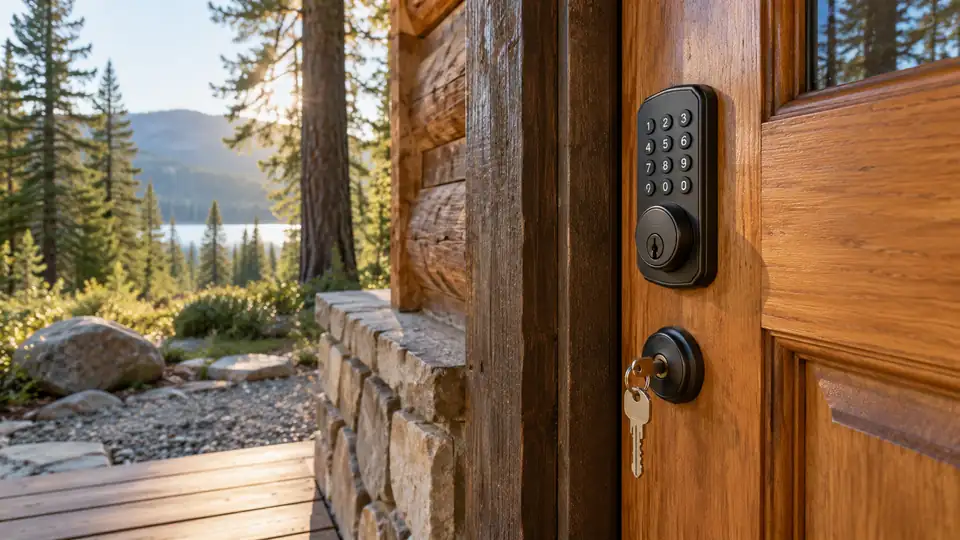
A smart lock can still be useful when the internet drops, the router is being replaced, or you simply prefer the door to work without a cloud connection. The practical question is not whether a lock includes Wi-Fi. It is whether the keypad, fingerprint reader, Bluetooth connection, or physical key continues to handle everyday entry without Wi-Fi. That distinction matters on a busy morning when a phone app is unavailable but a PIN or key should still open the door.
Many buyers focus on remote unlocking and overlook the basics: door preparation, battery replacement, emergency access, and the difference between nearby Bluetooth control and internet-based access. A Wi-Fi-equipped lock may still fit this category if its local keypad or biometric entry works offline, but remote alerts and app control will generally require a network. Check the exact door thickness, bore size, backset, lock style, and any required hub before ordering.
The nine options below are ranked around offline everyday operation first, then installation flexibility, backup entry, access management, and the usefulness of connected features when Wi-Fi is available. Some are strongest as simple keypad locks, while others add fingerprint entry, Bluetooth, gateways, or Matter over Thread for shoppers who want a broader smart-home setup without making Wi-Fi the only way through the door.
Quick Answer
- Best Overall: Tapo DL100 Smart Wi-Fi Deadbolt, because its tactile keypad, Bluetooth access, physical keys, and standard-door fit give it a well-balanced offline setup.
- Best for Fingerprint Access: Veise VE017, with fingerprint, keypad, fob, app, and mechanical-key entry. Its optional G1 gateway is required for remote access.
- Best for Matter and Local Smart-Home Control: ULTRALOQ Bolt SE, which supports local fingerprint and code entry plus Matter over Thread with a compatible Thread border router.
- Best for a Traditional Brand and Physical Key Backup: Schlage Encode, which retains a physical key and touchscreen access while offering remote functions through Wi-Fi.
Best Smart Locks Without Wi-Fi Comparison Table
| Product | Best For | Offline Entry | Connectivity |
|---|---|---|---|
| Tapo DL100 | Balanced everyday access | Keypad, Bluetooth, keys | Bluetooth and Wi-Fi |
| Veise VE017 | Fingerprint and guest codes | Fingerprint, code, fob, key | Bluetooth; optional gateway |
| ULTRALOQ Bolt SE | Matter and multiple entry methods | Fingerprint, code, keys | Wi-Fi and Matter over Thread |
| Wyze Auto-Lock Bolt v2 | Fingerprint deadbolt access | Fingerprint, code, keys | Wi-Fi and USB-C backup |
| eufy Security C220 | Front-door fingerprint entry | Fingerprint, keypad, key | Wi-Fi and local lock controls |
| Schlage Encode | Touchscreen and key backup | Touchscreen keypad, key | Wi-Fi |
| Philips Smart Lock With Handle | Lever-style fingerprint entry | Fingerprint, PIN, key | Wi-Fi |
| Built-In Wi-Fi Fingerprint Lock | Cards and rental-style access | Fingerprint, code, card, key | Wi-Fi |
| Philips Smart Deadbolt | Simple fingerprint and keypad entry | Fingerprint, code, key | Wi-Fi |
The detailed reviews explain which controls work locally, which features depend on Wi-Fi or an optional gateway, and where installation details deserve a closer look.
1. Tapo DL100 Smart Wi-Fi Deadbolt — Best Overall

The Tapo DL100 is the strongest all-around match for shoppers who want a lock that does not become useless during a Wi-Fi outage. Its backlit tactile keypad handles code entry directly at the door, Bluetooth supports nearby access, and two backup keys provide a straightforward mechanical fallback. That trio covers the common real-life moments, from arriving with groceries to opening the door after a router reset.
Wi-Fi adds remote locking, activity records, alerts, and app-based management, but it is not the only path through the door. The listing also specifies up to 200 customizable codes, random-digit PIN entry, auto-lock, and a PIN attempt limiter. Standard lock-hole sizes of 1.5 and 2.125 inches are documented, although the rest of the door preparation still needs to match before installation.
Pros
- Keypad, Bluetooth, and two physical keys support access without Wi-Fi.
- Up to 200 customizable codes provide room for household and guest access.
- Backlit tactile buttons are practical for nighttime entry.
- USB-C emergency power is included for depleted batteries.
- IP54 weather resistance and BHMA Grade 3 certification are listed.
Cons
- Remote app control and real-time alerts require Wi-Fi.
- Battery life is listed as up to 200 days in Wi-Fi mode or 300 days in Bluetooth mode, so usage and connection mode affect expectations.
This is the best fit for a front door where local code entry matters as much as remote control. It also suits households that want tactile buttons rather than a smooth touchscreen. Buyers with unusual door preparation should verify the latch, backset, and thickness separately because the listed bore sizes do not guarantee every standard door will fit.
To buy this product, click here.
2. Veise VE017 Fingerprint Smart Door Lock — Best for Fingerprint Access

The VE017 puts offline credentials at the center of its design. Fingerprint, keypad, fob card, and mechanical-key entry are available, so a user can choose a method without depending on a Wi-Fi signal. The listing also describes Bluetooth-based app discovery and local credential management, while remote locking, remote unlocking, and voice control require the separately sold Veise G1 gateway.
That gateway distinction is central here. Without it, this is still a multi-method electronic deadbolt with local access and nearby phone interaction. With it, the feature set expands to remote management, logs, and Alexa or Google voice functions. The listing specifies compatibility with 1 3/8- to 2-inch doors and 1.5- or 2.125-inch lock holes, along with left and right handing detection.
Pros
- Fingerprint, code, fob, and mechanical-key entry work as distinct access methods.
- One-time, duration, permanent, and recurring password modes are listed.
- USB-C emergency power helps when the AA batteries are depleted.
- IP55 protection and a listed operating range of -35°F to 160°F support exposed entrance use.
- Remote access is optional through the separately sold G1 gateway.
Cons
- Remote access and voice control require an additional gateway.
- The listing’s precise fingerprint speed and accuracy claims are marketing claims.
The VE017 makes sense for a door shared by several people who prefer fingerprints or temporary codes over carrying keys. It is less suitable if buying a gateway defeats the point of a simple offline lock. Pay close attention to latch alignment during installation, since the listing specifically warns that the door and frame must remain properly aligned.
To buy this product, click here.
3. ULTRALOQ Bolt SE — Best for Matter and Local Smart-Home Control

The Bolt SE gives offline entry a wide safety net. Fingerprints, passcodes, and two mechanical keys remain available at the lock, while built-in Wi-Fi handles remote app functions. The product also supports Matter over Thread, but that route requires a compatible Thread border router. Thread and Wi-Fi are separate connection paths here, so buyers should choose the one that fits their existing equipment rather than assuming Matter removes every hardware requirement.
Its access-management tools are unusually broad for this group. The listing identifies up to 50 fingerprints and 50 passcodes, plus permanent, scheduled, or temporary eKeys and codes. The stated battery estimate reaches up to 18 months when using Thread, although actual life depends on use and setup. A door sensor is not included, which matters if a buyer expects the lock to report whether the door itself is ajar.
Pros
- Fingerprint, code, app, voice, and mechanical-key methods are supported.
- Matter over Thread provides another smart-home connection option.
- Scheduled and temporary eKeys support controlled guest access.
- The listing states up to 18 months of battery life with Thread use.
- IP65 protection and ANSI BHMA certification are identified in the listing.
Cons
- Matter over Thread requires a compatible Thread border router.
- A door sensor is not included.
This is a good match for a connected home that still needs the lock to function locally. It offers more ecosystem flexibility than a Wi-Fi-only design, but the setup is more involved if Thread hardware is not already present. Buyers who want the simplest installation and no controller decisions may prefer the Tapo or a conventional keypad deadbolt.
To buy this product, click here.
4. Wyze Auto-Lock Bolt v2 — Best for Fingerprint Deadbolt Entry

The Wyze Bolt v2 keeps the familiar deadbolt format while adding fingerprint, keypad, app, and physical-key access. That means a resident can still enter with a finger or PIN if the Wi-Fi service is unavailable. The tempered-glass scanner surface is described as scratch and smudge resistant, and the listing presents a learning scanner intended to improve recognition over repeated use.
Power planning is a strong part of the design. Eight AA batteries are included, the listing claims up to eight months of operation, and a USB-C port can accept power from a power bank if the batteries run out. Wi-Fi remains useful for remote management and Wyze doorbell integration, but the physical controls are the reason this lock remains relevant for an offline-first purchase.
Pros
- Fingerprint, keypad, app, and backup-key entry are all supported.
- USB-C emergency power can be supplied by a common power bank.
- Eight AA batteries are included.
- The keypad includes anti-peep functionality.
- IP53 and BHMA Grade 2 are listed specifications.
Cons
- Remote app functions require Wi-Fi.
- The product data does not provide detailed door-thickness or backset information.
The Bolt v2 suits a standard front-door deadbolt replacement where fingerprint entry is more appealing than carrying a key. It is less compelling for buyers who need detailed installation dimensions before ordering, since those details are not clearly supplied here. Measure the existing lock carefully and keep the physical keys available as the simplest fallback.
To buy this product, click here.
5. eufy Security Smart Lock C220 — Best for Front-Door Fingerprint Entry

The C220 is a front-door deadbolt with several local ways to unlock: fingerprint, keypad, and physical key. Apple Watch access is also listed, though the exact setup depends on the relevant eufy configuration. Its built-in Wi-Fi supports app control without a bridge, but the lock does not require the phone app for basic entry at the door.
The listing identifies compatibility with most standard deadbolts and bores under 54 mm after removing the spacer. It also states a 15-minute installation without drilling, though actual installation still depends on the existing hardware. Eight AA batteries are listed for an estimated eight months of use, and the lock carries IP53 and BHMA Grade 3 claims. Those details make it more suitable for an exposed entrance than an interior-only handle lock.
Pros
- Fingerprint, keypad, physical-key, app, and voice access are supported.
- Built-in Wi-Fi does not require a separate bridge for app control.
- The listing states up to eight months of battery life.
- IP53 and BHMA Grade 3 are in the product information.
- It is intended for front-door deadbolt use rather than interior doors.
Cons
- Remote control and app history depend on Wi-Fi connectivity.
- Compatibility is described generally, so the existing deadbolt should still be measured before purchase.
The C220 is a sensible choice for someone already using eufy devices or wanting a fingerprint deadbolt with a conventional key fallback. Buyers who want Bluetooth-specific offline app control may prefer the Tapo or Veise, while those seeking a simpler keypad should skip the biometric hardware and choose a less feature-heavy model.
To buy this product, click here.
6. Schlage Encode Smart WiFi Deadbolt — Best for Touchscreen and Key Backup
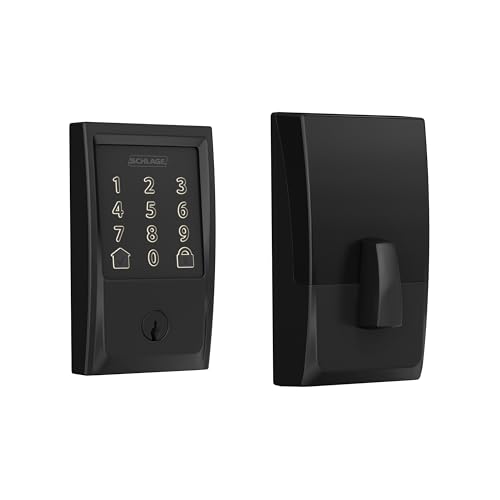
The Schlage Encode takes a more traditional approach to offline access. Its touchscreen keypad and included physical key continue to provide entry without Wi-Fi, while the Schlage Home app supplies remote controls and history when the lock is connected. There is no fingerprint reader, so the appeal is a familiar PIN-and-key arrangement rather than biometric convenience.
Installation information is unusually clear in the listing. It fits doors from 1 3/8 to 1 3/4 inches thick, supports 2 3/8- or 2 3/4-inch backsets, and uses a standard screwdriver installation. Up to 100 access codes, auto-lock, one-touch exterior locking, and a customizable alarm are also listed. Four AA batteries are included, with a stated typical life of up to six months.
Pros
- Touchscreen keypad and one physical backup key work without Wi-Fi.
- Door thickness and backset requirements are clearly listed.
- Up to 100 access codes are supported.
- Built-in alarm features and customizable notifications are listed.
- Four AA batteries are included.
Cons
- No fingerprint entry is provided.
- Remote app control, history, and notifications require Wi-Fi.
This is a strong fit for buyers who prefer a known keypad format and want installation dimensions stated up front. The lack of fingerprint access is easy to understand rather than a hidden flaw. Choose it for touchscreen and physical-key simplicity, not for biometric entry or Bluetooth-based phone access.
To buy this product, click here.
7. Philips Smart Lock With Handle — Best for Lever-Style Fingerprint Entry

This Philips model differs from the deadbolts above because the fingerprint reader is built into the handle. A thumb can unlock the unit as the handle is turned, while PIN, physical-key, app, and voice options provide alternatives. That arrangement can feel natural for an office, bedroom, or entrance where replacing the handle and lock as one assembly makes sense.
The listing describes up to 50 fingerprints and 100 passcodes, including scheduled and temporary codes. Passage Mode and Privacy Mode add useful household controls, while auto-lock can be set from five to 180 seconds. Since it is a complete handle-style product rather than a simple deadbolt retrofit, buyers should pay close attention to the stated door configuration and handing requirements.
Pros
- Fingerprint access is integrated into the handle.
- PIN, physical-key, app, and voice entry are also listed.
- Up to 100 passcodes support family and guest access.
- Passage Mode and Privacy Mode provide additional operating choices.
- Auto-lock timing can be adjusted from five to 180 seconds.
Cons
- Its handle configuration may not suit a door prepared for a separate deadbolt-only replacement.
- Remote app functions and alerts require Wi-Fi.
The Philips handle is best for a complete hardware refresh where lever operation is preferred. It can be a poor match for a buyer seeking a straightforward retrofit that preserves existing exterior hardware. Confirm door thickness, handing, latch alignment, and the required handle preparation before ordering.
To buy this product, click here.
8. Built-In Wi-Fi Fingerprint Smart Door Lock — Best for Card and Rental-Style Access

This handle-and-deadbolt combination offers an unusually broad mix of local credentials. Fingerprint, keypad code, RFID card, physical key, app, and supported voice control are listed, giving different users several ways to enter without reaching for a phone. The card option may appeal to children, staff, or guests who do not want to remember a PIN.
The listing also targets rentals with one-time and time-limited codes, eKey sharing, and a manager portal for multiple doors. It specifies compatibility with doors from 1 3/8 to 2 1/4 inches thick and 2 3/8- or 2 3/4-inch backsets. Those dimensions are useful, but this is still a full replacement assembly, so the existing latch and door preparation should be checked carefully.
Pros
- Fingerprint, code, RFID card, app, key, and voice methods are listed.
- One-time and time-limited codes suit guest access.
- Up to 200 codes and 100 fingerprints are stated.
- Type-C emergency power is included.
- The door range extends from 1 3/8 to 2 1/4 inches.
Cons
- Remote management and alerts depend on Wi-Fi.
- The complete handle assembly may require more preparation than a deadbolt-only replacement.
This lock fits a rental or shared-property setup where cards and temporary codes are useful alongside ordinary local entry. It is less attractive for a narrow installation that only needs a basic deadbolt. Treat the manager portal and guest features as connected functions, while keeping the keypad, fingerprint, card, and key methods as the offline foundation.
To buy this product, click here.
9. Philips Smart Deadbolt — Best for Simple Fingerprint and Keypad Entry

The Philips Smart Deadbolt keeps its access menu familiar: fingerprint, passcode, physical key, app, and voice control. At the door, the first three methods provide the meaningful offline capability. Away Mode can restrict access to the master code, while auto-lock can be set from 10 to 180 seconds. Those settings are useful for a household that wants electronic entry without depending on a phone for every arrival.
The product information lists doors from 1 3/8 to 2 inches thick and specifies AA alkaline batteries. Batteries are not included, and the listing says the lock supports 2.4 GHz Wi-Fi only for remote functions. It also lacks a door sensor, so auto-lock should not be treated as confirmation that the door is fully closed.
Pros
- Fingerprint, passcode, and physical-key entry remain available locally.
- Up to 100 custom passcodes are listed.
- One-time and scheduled codes support occasional visitors.
- Away Mode can limit available unlocking methods.
- The stated door thickness range is 1 3/8 to 2 inches.
Cons
- Batteries are not included.
- No door sensor is included, so auto-lock does not verify door position.
This model suits a straightforward front-door upgrade where fingerprint and PIN entry matter more than advanced ecosystem support. It ranks below the Tapo because Bluetooth operation and tactile-button access are not here. Before installation, confirm the door measurements and follow the cable-routing instructions so the latch can move freely.
To buy this product, click here.
Buying Guide
Separate Offline Entry From Remote Control
A lock can include Wi-Fi and still work well for this category. The important distinction is which functions remain available without a network. A PIN entered directly on the keypad, a fingerprint read at the lock, Bluetooth access nearby, or a physical key can all provide local entry. Remote unlocking, notifications, access history, and cloud-based code management usually depend on Wi-Fi or an optional gateway.
Match the Lock Style to the Door
A deadbolt replacement and a handle set are different installation decisions. Deadbolt models may fit an existing bore and latch, while handle products replace more of the door hardware. Check door thickness, bore diameter, backset, latch alignment, handing, and strike-plate position. A listing that says “standard door” does not guarantee compatibility with every metal, narrow-stile, mortise, or unusually thick door.
Decide Whether Fingerprint Entry Adds Real Value
Fingerprint access is convenient for people who frequently arrive with full hands, but it adds another electronic component and another credential-management task. A keypad may be preferable for visitors because a PIN can be shared or changed without enrolling a finger. Locks with both methods, such as the Veise, Tapo alternatives, and several models above, give households more flexibility.
Check What a Gateway Actually Does
The Veise VE017 can perform local entry without its G1 gateway, but remote access and voice functions require that separately sold device. The ULTRALOQ Bolt SE similarly requires a compatible Thread border router for its Matter over Thread path. Read “compatible” as different from “included,” and verify whether the controller is needed for the feature you actually want.
Plan for Dead Batteries
Replaceable AA batteries are common in this group, but the details differ. Some locks provide a USB-C or Type-C emergency power port, while others rely on a physical key. An emergency port generally supplies temporary operating power. It should not automatically be treated as a way to recharge the installed batteries. Keep a tested key, fresh batteries, or a suitable power bank available according to the lock’s design.
Do Not Treat Auto-Lock as a Door Sensor
Auto-lock starts a timer and commands the lock to secure itself. It does not necessarily confirm that the door is fully closed or that the deadbolt is aligned with the strike. The Philips Smart Deadbolt explicitly lacks a door sensor, and the ULTRALOQ listing says its door sensor is not included. Check alignment manually after installation and avoid aggressive timing until the latch operates smoothly.
Best Smart Locks Without Wi-Fi FAQ
Can a Wi-Fi smart lock work without Wi-Fi?
Often, yes. Keypad, fingerprint, and physical-key functions are generally performed at the lock itself. Remote app control, alerts, access history, and internet-based administration may stop working until the network returns. Review the exact product information rather than assuming every function remains available offline.
Is Bluetooth the same as Wi-Fi-free remote access?
No. Bluetooth usually supports nearby phone communication, while Wi-Fi can connect the lock to internet-based services. Bluetooth may let you manage a lock while standing near the door, but it does not automatically provide remote access from work or while traveling.
Do these locks require a hub?
Several models include built-in Wi-Fi and list hub-free app access. The Veise VE017 requires the separate G1 gateway for remote access and voice functions. The ULTRALOQ Bolt SE requires a compatible Thread border router for Matter over Thread operation. Local keypad, fingerprint, and key entry do not necessarily require either accessory.
Will a smart lock work during an internet outage?
Local entry should remain available when the lock has charged or replaceable batteries and a functioning keypad, fingerprint reader, or mechanical cylinder. Internet-dependent features such as remote unlocking and push notifications may be unavailable. Test the local entry method before relying on it as the primary backup.
Are fingerprint locks better than keypad locks?
Neither method is universally better. Fingerprints avoid memorizing a code, while keypads are easier to share with guests and can be changed without enrolling a new user. A model with both methods gives the household more choices, though it may involve more setup and electronics than a keypad-only lock.
Can these locks fit any front door?
No. Fit depends on door thickness, bore size, backset, latch dimensions, handing, and the existing hardware. A complete handle set may require different preparation from a deadbolt replacement. Measure the door and lock before ordering, and treat broad phrases such as “standard door” as a starting point rather than a guarantee.
Does auto-lock confirm that my door is closed?
Not by itself. Auto-lock usually activates after a selected delay and attempts to move the locking mechanism. Without a door sensor, it may not know whether the door is open, misaligned, or obstructed. Check whether the exact model includes a sensor and make sure the latch and strike are aligned.
Final Verdict
The Tapo DL100 is the strongest overall choice in this group because it treats offline entry as a primary function rather than an afterthought. Its tactile keypad, Bluetooth access, physical keys, emergency USB-C power, and standard bore sizes create a balanced setup for everyday use. Wi-Fi adds remote control and activity features, but the lock remains useful at the door when the network is down.
The Veise VE017 is the better fit for fingerprint access and detailed credential types, provided the optional gateway requirement is acceptable for remote management. The ULTRALOQ Bolt SE is the more flexible choice for Matter over Thread households, while the Schlage Encode suits buyers who prefer a touchscreen keypad, clear installation dimensions, and a physical key. Whichever model you select, confirm the door measurements first, keep a reliable backup entry method available, and treat Wi-Fi as an added convenience rather than the foundation of everyday access.
