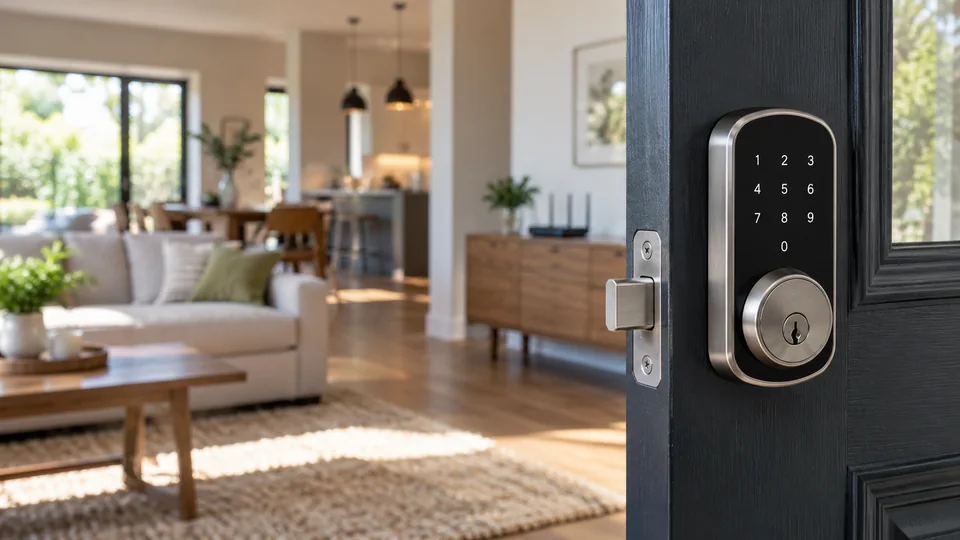
No, smart locks do not always need Wi-Fi. Many models can lock and unlock locally using a PIN, fingerprint, physical key, NFC credential, or nearby Bluetooth connection. Wi-Fi, a hub, or another network connection is commonly required for remote control, alerts, cloud-based access management, and some smart home integrations.
The exact requirements depend on the lock and its configuration. A Bluetooth lock may work directly with a nearby phone but need a separate gateway for control from outside the home. A Matter lock using Thread may require a Matter controller and Thread border router for connected features. A keypad-only electronic lock may have no wireless connection at all.
What Works Without Wi-Fi?
Local entry methods are usually processed by the lock itself. That allows many smart and electronic locks to continue providing basic access without a Wi-Fi network or active internet service.
Depending on the model, functions that may work without Wi-Fi include:
- Entering a stored PIN on the keypad
- Using a fingerprint enrolled in the lock
- Unlocking through nearby Bluetooth
- Presenting a supported NFC or RFID credential
- Using a compatible digital key stored on a phone or watch
- Locking from the interior thumb turn or control
- Using a physical backup key, where provided
- Automatic locking based on a locally stored timer or door sensor
These capabilities are product-specific. A keypad does not guarantee offline code management, and Bluetooth support does not guarantee that every feature remains available without the manufacturer’s app or account.
What Wi-Fi or Another Network Connection Adds
Wi-Fi mainly gives the lock a path to other devices or online services. It does not operate the mechanical deadbolt or latch by itself. The lock’s actuator still moves the locking mechanism, while its electronic controller decides whether a credential or command is authorized.
Connected features may include:
- Locking or unlocking while away from home
- Checking lock status remotely
- Receiving access and door-status notifications
- Adding, removing, or scheduling guest credentials remotely
- Reviewing access history in an app
- Using supported voice assistants
- Running smart home automations
- Downloading firmware updates
- Connecting with supported property-management or access-control services
Some locks have Wi-Fi built in. Others reach the internet through a plug-in bridge, smart home hub, gateway, or compatible controller. Built-in Wi-Fi therefore does not mean that every feature works without an account, cloud service, or supporting platform.
Wi-Fi and Internet Access Are Different
A home can have a functioning Wi-Fi network while its internet service is unavailable. Wi-Fi connects devices across the local network. Internet access connects that network to external services.
This distinction matters because a Wi-Fi lock may depend on a manufacturer’s cloud service for remote commands. In that arrangement, the router, internet connection, cloud service, and app authorization may all need to work before a command sent from outside the home reaches the lock.
Some products support local-network control through a compatible platform or controller. Others route connected functions through the cloud, despite the lock and phone being on the same Wi-Fi network. Product documentation should identify which operations are local and which rely on an online service.
How the Main Connection Options Compare
| Connection type | Typical role | Extra equipment that may be required | Remote access by itself? |
|---|---|---|---|
| Wi-Fi | Network connection, remote features, app services, and integrations | Wi-Fi router, internet service, account, or cloud service | Potentially, but implementation varies |
| Bluetooth | Nearby phone access, setup, and local communication | Bridge or gateway for remote access | No |
| Zigbee | Low-power communication with a compatible smart home network | Compatible Zigbee controller or hub | No, remote operation depends on the controller and its services |
| Z-Wave | Communication with a compatible Z-Wave network | Compatible Z-Wave controller or hub | No, remote operation depends on the controller and its services |
| Thread | Low-power IP networking | Thread border router for communication beyond the Thread network | No |
| No wireless radio | Local keypad, biometric, card, or key operation | Usually none for basic entry | No |
A compatible radio is only part of an integration. A Zigbee or Z-Wave lock does not automatically work with every hub using that protocol. The controller must support the device and expose the required lock functions. Basic lock and unlock control also does not guarantee support for code schedules, fingerprint management, or detailed access logs.
Matter and Thread Do Not Automatically Mean Wi-Fi
Matter is an interoperability standard, while Thread is an IP-based, low-power mesh networking technology. They serve different purposes. Matter devices can use supported network transports, and a Matter smart lock does not necessarily connect through Thread.
A Matter-over-Thread lock normally needs access to a Thread network, a Thread border router, and a Matter controller for connected operation through a smart home platform. One physical device can perform more than one of these roles, but the roles remain distinct.
The household may still use Wi-Fi between phones, controllers, border routers, and other network equipment. The lock itself, however, can communicate over Thread rather than Wi-Fi. Feature availability can differ by lock, controller, platform, and software version.
What Happens During Different Types of Outages?
An internet outage, Wi-Fi failure, power outage, and depleted lock battery are separate events. Each can affect the system differently.
Internet service goes down
Locally stored PINs, fingerprints, physical keys, and other onboard credentials commonly remain usable. Remote app control, off-site notifications, cloud-based history, and account-dependent code management may stop until service returns.
The Wi-Fi router stops working
A lock using direct Wi-Fi may lose connected functions. Nearby Bluetooth and onboard entry methods may remain available if the model supports them. Locks using a powered bridge or hub can also lose remote access if that device becomes unreachable.
Household electricity fails
Most residential smart locks use internal batteries, so a power outage does not necessarily disable the locking mechanism or local electronic entry. The modem, router, bridge, hub, or smart home controller may lose power, which can interrupt remote functions.
The lock battery is depleted
This is different from losing household power. Electronic access may stop, depending on the design. Supported recovery options can include a physical key, external emergency power, or battery replacement. An emergency power port does not necessarily recharge the installed batteries. Follow the manufacturer’s documented lockout procedure.
The manufacturer’s cloud service is unavailable
Cloud-mediated commands and account functions may be interrupted while the home network continues working. Local operation may remain available, but that behavior must be confirmed for the specific lock and integration.
Does a Smart Lock Need Wi-Fi for Remote Unlocking?
A lock needs some communication path for remote unlocking, but that path does not have to be a Wi-Fi radio inside the lock. Common arrangements include:
- A lock with built-in Wi-Fi connecting to the home router
- A Bluetooth lock communicating with an internet-connected bridge
- A Zigbee or Z-Wave lock communicating with a compatible hub
- A Thread lock communicating through a Thread border router and supported controller
Remote access may also require a manufacturer account, app permissions, platform authorization, or active cloud service. A local connection such as Bluetooth alone cannot carry a command from a phone located away from the property.
Can Guest Codes Be Created Without Wi-Fi?
That depends on how the lock manages credentials. Some locks allow codes to be programmed directly at the keypad. Others require a nearby Bluetooth connection, an internet-connected app, or a compatible hub. Advanced options such as scheduled, recurring, temporary, and one-time codes are separate capabilities and should not be assumed from the presence of a keypad.
Rental-property operators should verify whether codes can be generated, changed, scheduled, and revoked during a network outage. Backup access and account ownership also deserve attention because remote code management can fail if the bridge, router, cloud service, or property internet connection is unavailable.
Does Avoiding Wi-Fi Improve Security or Privacy?
Removing direct Wi-Fi connectivity reduces one network connection, but it does not establish that a lock is secure. Smart lock security also depends on the mechanical hardware, door and frame strength, installation quality, credential management, mobile account protection, controller security, firmware maintenance, and user behavior.
An offline keypad lock avoids cloud-based remote access, yet a shared or observed PIN can still permit entry. A Bluetooth lock may have no direct internet connection, while its optional gateway and app account introduce connected components. A Wi-Fi lock can provide immediate alerts and remote credential revocation, but those features rely on properly secured accounts and supported services.
Useful security practices include:
- Use a unique password for the lock or smart home account.
- Enable multifactor authentication when the service supports it.
- Remove credentials that are no longer needed.
- Keep the lock, app, hub, and controller updated through supported channels.
- Protect phones and digital credentials with an appropriate screen lock.
- Review access permissions after a guest, tenant, or service provider no longer needs entry.
- Maintain proper deadbolt alignment so the motor can operate without excessive resistance.
How to Determine the Connection a Lock Requires
Check the documentation for the exact model and connectivity variant. Products in the same family can use different radios or require different accessories.
Look for clear answers to these questions:
- Which entry methods are stored and processed locally? Confirm whether PINs, fingerprints, cards, digital credentials, or Bluetooth access work during an internet outage.
- How does remote access work? Identify whether the lock uses built-in Wi-Fi, a bridge, a hub, a controller, or a Thread border router.
- Which functions depend on the cloud? Check remote control, alerts, access history, guest-code management, automations, and firmware delivery separately.
- What happens if supporting equipment loses power? Review the behavior of the lock, router, bridge, hub, and controller.
- Which backup entry method is available? Confirm whether the model has a physical keyway, emergency power input, replaceable batteries, or another documented recovery method.
- Which platform features are actually supported? Compatibility with Apple Home, Alexa, Google Home, SmartThings, Home Assistant, or Matter does not guarantee identical functions across platforms.
A Smart Lock Can Be Useful Without Wi-Fi
Wi-Fi is optional for many smart locks, especially where the main goal is keyless local entry by PIN, fingerprint, NFC credential, or nearby phone. Network connectivity becomes more relevant for control from outside the property, real-time notifications, remote guest management, access logs, and smart home automation.
Before relying on any lock during an outage, verify its local entry behavior and backup access method in the exact manufacturer’s documentation. The lock’s radio, supporting controller, internet service, cloud account, and mechanical hardware each perform a different role, and losing one does not always disable the others.
