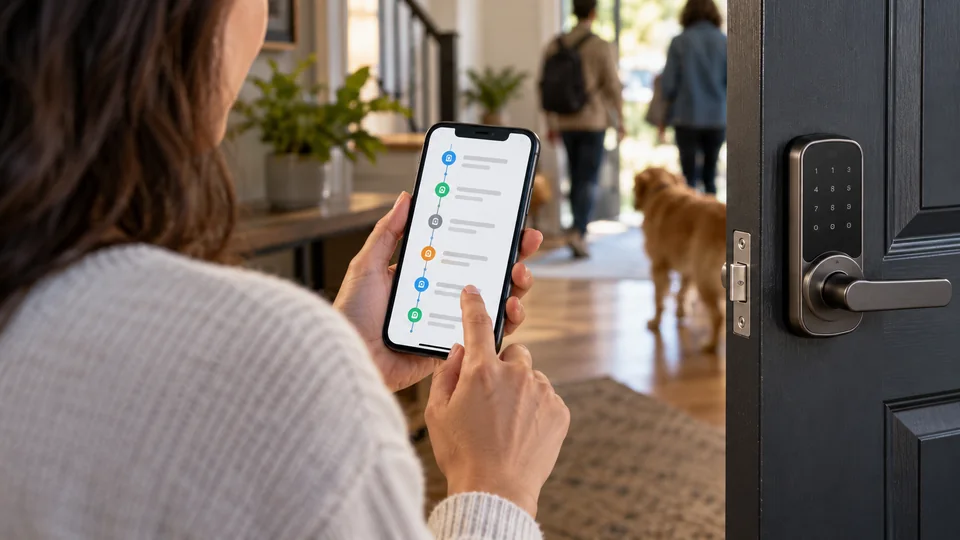
A lock that can tell you who entered, when they entered, and which credential they used is far more useful than a keypad that simply opens the door. Access logs matter for busy households, rental properties, home offices, and anyone who wants a clearer record of daily entry. The strongest options combine identifiable activity history with practical credentials such as PINs, fingerprints, cards, app access, or physical keys.
Buyers often focus on the number of unlocking methods and overlook the details that shape daily use. A lock may offer remote access only through a separately sold gateway, while another may include built-in Wi-Fi but require a strong 2.4 GHz connection nearby. Door thickness, deadbolt alignment, lock type, battery replacement, and the difference between a stored access code and a genuinely managed user profile all deserve attention before ordering.
Different households need different combinations of convenience and oversight. A rental host may value temporary codes and remote activity records, while a family may prefer fingerprint entry and a physical key backup. This comparison focuses on access-log features, credential management, connectivity, installation requirements, and the practical trade-offs that separate these nine locks.
Quick Answer
Best Overall: The Built-in WiFi Smart Door Lock with Handle offers the strongest combination of built-in remote access, access logs, multiple entry methods, family sharing, and guest-management tools. Its manager portal and auto-booking features give it particular appeal for rentals and shared properties.
Best Deadbolt Alternative: The Philips Wi-Fi Smart Deadbolt combines app, code, fingerprint, key, and voice entry with access history and built-in Wi-Fi, without requiring an additional hub.
Best for Rental-Style User Management: The Veise VE019 Smart Lever Lock supports temporary, permanent, duration, and recurring codes, while its app records who unlocked the door and when. It also works as a lever-style replacement rather than a standard deadbolt.
Best for Smart Home Compatibility: The Tapo DL100 offers Wi-Fi, Bluetooth, Alexa, Google Home, and Samsung SmartThings compatibility, along with timestamped activity records and up to 200 customizable codes.
Best Smart Locks With Access Logs Comparison Table
| Product | Best For | Lock Type | Access and Connectivity |
|---|---|---|---|
| Built-in WiFi Smart Door Lock With Handle | Rental and shared access | Deadbolt with handle | Wi-Fi, app, codes, cards, key, voice |
| Philips Wi-Fi Smart Deadbolt | Hub-free deadbolt access logs | Deadbolt | 2.4 GHz Wi-Fi, app, fingerprint, code, key, voice |
| Tapo DL100 Smart Wi-Fi Deadbolt | Multi-platform smart homes | Deadbolt | Wi-Fi, Bluetooth, keypad, app, voice |
| Veise VE019 Smart Lever Lock | Rental properties and lever doors | Smart lever lock | App, fingerprint, cards, codes, optional gateway |
| Veise VE017 Fingerprint Lock | Fingerprint entry and user controls | Deadbolt | App, fingerprint, cards, codes, key, optional gateway |
| Fingerprint Smart Door Lock With Handle | Rental access with reversible handle | Handle lock | Bluetooth app, fingerprint, fob, code, key |
| Philips Wi-Fi Front Lock Set | Complete lock and handle replacement | Deadbolt with two handles | Wi-Fi, app, fingerprint, code, key, voice |
| Philips WiFi Keypad Deadbolt With Handle | Integrated handle upgrades | Deadbolt with handle | 2.4 GHz Wi-Fi, app, fingerprint, code, voice |
| Evanshow Smart Door Lock With Knob | Wooden interior and entry doors | Smart knob lock | Tuya app, fingerprint, keypad, NFC card, key |
The detailed reviews below look at how each lock handles activity records, credentials, connectivity, installation, and everyday access.
1. Built-in WiFi Smart Door Lock With Handle — Best Overall
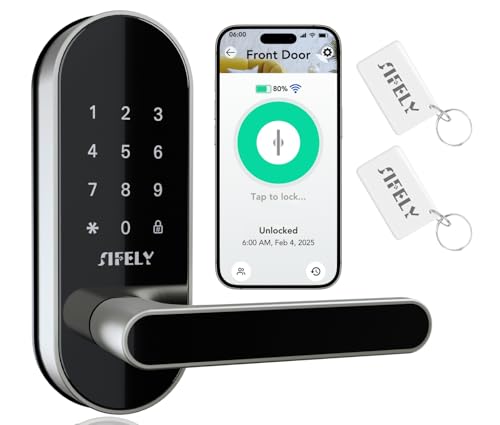
The strongest reason to put this lock first is the way its access records fit into a broader management system. The listing describes built-in Wi-Fi, real-time updates, family sharing, up to 200 passcodes, and a manager portal with auto-booking. That combination reaches beyond checking whether a door opened. It gives a property owner or household administrator a way to distribute credentials and keep track of a larger group of users.
Entry options are broad enough for a mixed household. Someone can use the app, a code, a card, a physical key, or a compatible smart speaker, which helps avoid a situation where one failed method stops everyone at the door. Remote access does not require a separate gateway according to the listing, and the lock includes a Type-C emergency power option. The six-month battery claim is a manufacturer-listed estimate.
Pros
- Built-in Wi-Fi supports remote control without a separate gateway.
- Access management includes up to 200 passcodes and family sharing.
- Manager portal and auto-booking features suit guest turnover.
- Offers app, code, card, key, and compatible voice-assistant entry.
- Includes auto-lock and Type-C emergency power support.
Cons
- The listing describes battery life of up to six months, which may require more frequent replacement than some alternatives.
- Compatibility with a particular door still needs to be confirmed before installation.
This is the most complete fit for a front door that serves several people, especially where access records and remote credential management carry real weight. It is also a sensible choice for a rental host who wants more than a basic keypad. Buyers who prefer a local-only lock or who do not need Wi-Fi management may find its connected features unnecessary, while the included handle means the installation must suit the existing door preparation.
To buy this product, click here.
2. Philips Wi-Fi Smart Deadbolt — Best Hub-Free Deadbolt

The Philips Wi-Fi Smart Deadbolt keeps the access-log feature tied to a familiar deadbolt format. Its listing describes app, passcode, fingerprint, physical-key, and voice entry, along with real-time alerts and a history of who accessed the home and when. That makes it useful for a household where one person prefers a PIN, another uses a fingerprint, and a cleaner or visitor needs a temporary credential.
Built-in Wi-Fi is the important distinction here. The lock supports remote operation without an extra hub, but it is specified for 2.4 GHz networks and the listing recommends keeping the router and lock within 65 feet. That is a practical installation detail, not a footnote. A thick wall, distant router, or crowded wireless area may affect the experience. The lock also supports auto-lock from 10 to 180 seconds and an Away Mode that restricts unlocking methods to the master code, while the absence of a door sensor means it cannot independently confirm that the door is physically closed.
Pros
- Built-in Wi-Fi enables remote app control without an additional hub.
- Supports fingerprints, passcodes, keys, app access, and voice control.
- Provides real-time alerts and an access history.
- Allows up to 100 custom passcodes plus one-time or scheduled codes.
- Includes adjustable auto-lock and an Away Mode.
Cons
- Supports 2.4 GHz Wi-Fi, with the listing recommending a nearby router.
- It does not include a door sensor for confirming the door position.
This model suits buyers who want a standard front-door deadbolt with clear entry records and several authentication methods. It is especially attractive for a home where remote access matters but adding a gateway feels like unnecessary clutter. Check the door thickness, wiring route, latch alignment, and router location before ordering. The access history is useful, but it should be viewed as a record of lock activity rather than proof that the door was fully closed at every event.
To buy this product, click here.
3. Tapo DL100 Smart Wi-Fi Deadbolt — Best for Smart Home Compatibility

A clear activity trail is the centerpiece of the Tapo DL100. The listing describes timestamped records, real-time alerts, door-status checks, and app-based access management for groups such as family members and visitors. Up to 200 customizable codes give the administrator room to separate credentials instead of handing the same PIN to everyone who needs entry.
The tactile keypad gives this lock a slightly different feel from fingerprint-heavy models. Nearby access can use Bluetooth, while remote control uses Wi-Fi through the Tapo app. The product information also lists Alexa, Google Home, and Samsung SmartThings compatibility, plus voice commands with PIN verification. That final detail matters because voice unlocking is not presented as an unrestricted spoken command. Four AA batteries are included, and the listing gives separate runtime estimates for Wi-Fi and Bluetooth modes, with USB-C emergency power available if the batteries run down.
Pros
- Timestamped activity records help identify who accessed the door and when.
- Supports up to 200 customizable codes and grouped user access.
- Works with Wi-Fi, Bluetooth, Alexa, Google Home, and SmartThings.
- Includes tactile backlit buttons and two backup keys.
- Offers auto-lock, PIN attempt limiting, and USB-C emergency power.
Cons
- Wi-Fi mode has a shorter listed battery estimate than Bluetooth mode.
- Voice unlocking requires PIN verification rather than relying on voice alone.
The DL100 is a good match for a home already using the Tapo or broader compatible smart-home ecosystem. It also makes sense for people who prefer physical buttons over a glossy touchscreen or fingerprint sensor. The listed door preparation is limited to standard 1-1/2-inch or 2-1/8-inch lock holes, so unusual doors need closer inspection. Buyers wanting fingerprint entry should choose another model from this group.
To buy this product, click here.
4. Veise VE019 Smart Lever Lock — Best for Rental-Style Access Management

The VE019 earns its place through unusually detailed credential management for a lever-style lock. Its app supports permanent, duration, recurring, and one-time codes, while the access logs identify who unlocked the door and when. That structure is useful for a rental, office, bedroom, or small property where a lever assembly makes more sense than replacing a deadbolt.
Fingerprint, app, user authorization, IC card, password, code sharing, and a backup key are all listed as entry methods. Two fobs are included, and the same card can be authorized across multiple Veise locks, which could simplify key management across more than one property. Remote control, real-time logs, and Alexa or Google voice control require the separately sold Veise G1 Gateway. The lock is listed as IP55 weather-resistant and supports doors from 1-3/8 to 2 inches thick, but the door must still suit a lever-lock replacement.
Pros
- Provides permanent, duration, recurring, and one-time access codes.
- Access logs identify users and entry times through the app.
- Supports fingerprint, app, card, code, fob, and backup-key entry.
- Includes two fobs and supports shared cards across Veise locks.
- Offers auto-lock, low-battery alerts, and Type-C emergency power.
Cons
- Remote access, real-time monitoring, and voice control require the separately sold G1 Gateway.
- It is a non-deadbolt lever lock, so it is not a direct substitute for every deadbolt installation.
This lock is particularly well suited to an administrator handling recurring visitors or multiple properties. The detailed code types are more useful than a large raw code count because they let access match a schedule. It is a weaker fit for a door already prepared only for a deadbolt, and buyers should budget for the gateway if remote management is central to the purchase. For a compatible lever opening, though, its logs and credential controls are compelling.
To buy this product, click here.
5. Veise VE017 Fingerprint Smart Door Lock — Best for Fingerprint Access

Fingerprint entry changes the rhythm of a busy front door. Instead of remembering a code or handing out another key, household members can use the biometric reader, while guests can receive temporary or recurring credentials through the app. The VE017 also records entry activity and allows administrators to add, rename, pause, or remove users, making the log more useful than a simple list of anonymous keypad events.
The listing describes four password modes, anti-peeping PIN entry, alerts, and an Away Mode that limits access to master credentials, the app, or physical keys. Remote unlocking and remote monitoring require the Veise G1 Gateway, while nearby app operation can use Bluetooth. Installation is described for standard doors with 1-1/2-inch or 2-1/8-inch lock holes and 1-3/8- to 2-inch thickness. The lock uses four AA alkaline batteries, and the listing claims approximately 12 months depending on use, with a USB-C emergency port.
Pros
- Combines fingerprint entry with codes, cards, app access, and a key.
- Provides user-level activity logs and permission management.
- Supports one-time, duration, permanent, and recurring codes.
- Includes anti-peeping PIN entry and an Away Mode.
- Offers a USB-C emergency port and a wide stated door-thickness range.
Cons
- Remote unlocking and remote monitoring require the separately sold G1 Gateway.
- Batteries are not included.
The VE017 is a strong fit for households that want fingerprint access without giving up a key, card, or PIN. Its activity records become more meaningful when each person has a separately managed credential. The gateway requirement is the main limitation for buyers expecting built-in remote access, and installation still depends on correct latch alignment and compatible door preparation. Choose it for biometric convenience and structured user administration rather than hub-free operation.
To buy this product, click here.
6. Fingerprint Smart Door Lock With Handle — Best for Reversible Handle Installation

This handle-based lock targets the practical middle ground between a conventional key and a managed electronic entry system. The listed methods include fingerprint, keypad, app, fob, and physical key, while the app can display access records and manage users. For a family, that could mean a fingerprint for daily entry, a PIN for a visitor, and a key for a backup situation.
Rental use is a central part of the product description. The lock can generate guest access codes through the app or web interface, and a Sifely WiFi Gateway can add remote access. Without that optional gateway, the product information describes Bluetooth app operation for nearby management. The handle is reversible for left- or right-handed doors, and the listing describes installation without extra drilling. Those details are helpful, but the product description does not provide a precise door-thickness range, so compatibility should be confirmed before purchase.
Pros
- Offers fingerprint, keypad, app, fob, and physical-key entry.
- Supports guest codes and access records for rental use.
- Reversible handle accommodates left- and right-handed doors.
- Optional Sifely gateway enables remote access.
- Combines a complete handle assembly with electronic entry methods.
Cons
- Remote access requires the separately sold Sifely WiFi Gateway.
- The product description does not clearly specify a door-thickness range.
This is a useful choice for a compatible handle opening where rental access and fingerprint entry matter more than built-in Wi-Fi. It is also a reasonable option for households with children or older relatives who may find a physical key inconvenient. Buyers should verify the door preparation and available clearance before ordering, particularly if replacing a deadbolt rather than a handle lock. The optional gateway should be treated as part of the installation plan, not an afterthought.
To buy this product, click here.
7. Philips Wi-Fi Front Lock Set — Best Complete Handle Set

A complete lock-and-handle set can simplify a front-door upgrade because the exterior hardware is matched from the start. This Philips set includes two handles with the Wi-Fi deadbolt, and its app provides remote locking, unlocking, status monitoring, access history, and permission management. The product listing also describes one-time, temporary, permanent, and recurring PIN options, which gives the access log more context than a shared household code would.
Five entry methods are listed: app, fingerprint, PIN, physical key, and voice commands through Alexa or Google Assistant. Auto-lock can be set from 30 to 180 seconds, and the deadbolt is described as fitting standard doors from 35 to 50 millimeters thick. Those dimensions are helpful starting points, but they do not replace checking the existing lock holes, latch position, and door swing. The included handles make this a more substantial replacement than a keypad-only upgrade, so buyers should confirm that the full set suits the door’s existing preparation.
Pros
- Includes the deadbolt and two matching handles as a complete set.
- Provides access history, status monitoring, and permission management.
- Supports fingerprint, PIN, app, key, and voice entry.
- Offers one-time, temporary, permanent, and recurring PIN options.
- Uses built-in Wi-Fi for remote app control without a listed gateway.
Cons
- A complete handle replacement may require more door-preparation checks than a deadbolt-only model.
- The product description does not state that batteries are included.
This set makes sense for a front door that needs coordinated handles as well as access logging. It is less suitable for someone who wants to preserve existing exterior hardware or make a minimal retrofit. The range of credential types is broad, but the practical success of the installation depends on the door’s thickness, lock holes, latch alignment, and handing. Confirm those details before choosing the full-set format.
To buy this product, click here.
8. Philips WiFi Keypad Deadbolt With Handle — Best Integrated Handle Upgrade

The Philips WiFi Keypad Deadbolt With Handle focuses on a clean, all-in-one replacement for a front door. Its app can lock and unlock the door, manage fingerprints and codes, show lock status, and display access history in real time. Permanent, one-time, periodic, and recurring PINs provide more useful separation between household members, cleaners, and short-term visitors than a single shared password.
Built-in 2.4 GHz Wi-Fi means the listing does not call for a separate bridge, but it recommends keeping the lock within 33 feet of the router and reducing obstructions. The lock also supports Alexa and Google Assistant, fingerprint entry, adjustable auto-lock from zero to 180 seconds, and a matching handle set. The stated door range is 1-3/8 to 1-3/4 inches thick. Auto-lock is off by default, and the product is designed for right-opening doors by default, with a reset process for left-opening doors.
Pros
- Includes a matching handle set with the smart deadbolt.
- Records access history and provides real-time app monitoring.
- Supports recurring, periodic, one-time, and permanent PINs.
- Offers fingerprint, app, code, and voice-assistant entry.
- Provides adjustable auto-lock and low-battery alerts.
Cons
- Requires a nearby 2.4 GHz router for its built-in Wi-Fi functions.
- Auto-lock must be enabled manually, and left-opening doors require reconfiguration.
This model fits buyers who want a coordinated handle and useful access records without adding a separate gateway. It is especially appealing for a front-door replacement where recurring credentials are more important than a minimal retrofit. Pay attention to door handing, thickness, router placement, and battery guidance. The lock uses standard alkaline batteries according to the listing, and batteries are not included.
To buy this product, click here.
9. Evanshow Smart Door Lock With Knob — Best for Compatible Wooden Doors

The Evanshow lock takes a compact knob approach while still offering the access history that defines this roundup. The Tuya app can assign permanent or temporary access, track entry logs, and enable silent mode. Fingerprint, keypad, NFC card, and mechanical-key entry give the lock several ways to handle a household where one person wants biometric access and another prefers a card or PIN.
The listing specifically describes installation on wooden doors from 1.18 to 1.97 inches thick, with support for left- and right-swinging doors. That is more useful than a vague claim of broad compatibility, although the door still needs to suit the lock’s knob format. Auto-lock adds a settable delay after entry. The product description does not identify built-in Wi-Fi or a separate gateway for remote access, so this lock is better viewed as an app-managed local entry option than a top choice for remote rental administration.
Pros
- Provides app-based entry logs and permanent or temporary access.
- Supports fingerprint, keypad, NFC card, and mechanical-key entry.
- Lists a clear wooden-door thickness range.
- Fits left- and right-swinging doors according to the listing.
- Includes auto-lock and a silent mode.
Cons
- The product description does not document built-in Wi-Fi or remote gateway access.
- Its knob design is not a direct replacement for every deadbolt or lever installation.
This lock is a sensible match for an interior room, apartment, or compatible wooden entry door where local access records are useful and the compact knob format fits. It ranks below the connected deadbolts because the product description is less complete about remote activity monitoring. Verify the door thickness and existing hardware before ordering, and choose another model if off-site guest management is a central requirement.
To buy this product, click here.
Buying Guide
Decide Whether You Need a Deadbolt, Lever, Handle, or Knob
Access logs do not make different lock formats interchangeable. Deadbolt models such as the Philips Wi-Fi Smart Deadbolt and Tapo DL100 replace or work with a deadbolt opening, while the Veise VE019 uses a lever-style assembly. Handle and knob models may require different door preparation. Look at the existing exterior hardware before comparing app features. A lock with excellent logs is still a poor purchase if its latch and mounting pattern do not match the door.
Separate Access Logs From Basic Code Storage
A keypad that stores several PINs is not automatically a strong access-management tool. The more useful products identify activity through user permissions, named credentials, timestamps, or app history. Temporary, recurring, duration, and one-time codes also matter because they reduce the need to share a permanent PIN. For a rental or home office, a log connected to individually managed credentials gives a clearer record than a single code used by everyone.
Check Whether Remote Access Is Built In
Some locks in this group include Wi-Fi in the lock itself, while the Veise and Sifely-based models require a separately sold gateway for remote operation. Bluetooth app access is useful nearby, but it should not be treated as internet-based control from another location. Confirm whether the gateway is included, optional, or required for the functions you want. A separately purchased accessory can change the practical setup considerably.
Match the Entry Methods to the People Using the Door
Fingerprint entry is convenient for people who regularly come and go, but a physical key or PIN may be more suitable for visitors. Cards and fobs can be easier to issue than app accounts, while voice access may require account setup and additional verification. The strongest choices here offer several options, but more methods also mean more credentials to manage. Pick the combination that people will actually use consistently.
Check Door Thickness, Lock Holes, and Handing
Several listings provide specific door ranges, including standard thickness measurements and bore-hole sizes. Others give less detail. Confirm the door thickness, existing lock-hole diameter, latch alignment, swing direction, and whether the product is a deadbolt, lever, or knob. The Philips WiFi Keypad Deadbolt With Handle is configured for right-opening doors by default, while the Veise VE019 lists support for standard left- and right-handed doors. These details can determine whether installation is straightforward.
Plan for Battery Replacement and Emergency Entry
Battery estimates are listing claims and can vary with usage, wireless activity, temperature, and the number of daily lock cycles. Check whether batteries are included, which battery type is recommended, and whether the lock provides a physical key or USB-C emergency power. Emergency power usually provides temporary power for unlocking. It should not automatically be interpreted as a way to recharge the installed batteries.
Use Environmental Ratings Within Their Limits
Some models list IP54 or IP55 protection and operating-temperature ranges. Those descriptions can help with an exposed entry installation, but they do not prove that every internal component is protected from every weather condition. Door overhang, direct rain, freezing temperatures, and battery behavior still matter. Follow the product’s stated placement and installation guidance rather than treating an IP rating as a guarantee for any outdoor location.
Best Smart Locks With Access Logs FAQ
What makes a smart lock useful for access logging?
A useful access-log system records door events through an app or local management interface and connects those events to credentials or users where supported. The Philips and Tapo models list access history or timestamped activity, while the Veise models describe user management and records showing who unlocked the door and when. A lock that merely stores multiple PINs may offer less useful accountability.
Do all of these locks provide remote access without extra equipment?
No. The built-in Wi-Fi model, Philips Wi-Fi models, and Tapo DL100 list Wi-Fi-based remote control in their product information. The Veise VE017 and VE019 require the separately sold G1 Gateway for remote unlocking and monitoring. The fingerprint handle lock lists optional remote access through a Sifely WiFi Gateway. Check the exact accessory requirement before ordering.
Can access logs prove that the door was physically closed?
Access logs generally describe lock activity, such as an unlock, lock, or user event. The Philips Wi-Fi Smart Deadbolt listing specifically says it does not have a door sensor. Without a door-position sensor, an entry record should not be treated as independent confirmation that the door was fully closed and aligned.
Are fingerprint locks better for access records than keypad locks?
Fingerprint locks can make individual identification easier because each enrolled user has a biometric credential. They still need properly managed profiles, and the listing details vary by model. Keypad locks can also create useful records when each person receives a separate code, especially if the app supports temporary, recurring, or one-time credentials. The better choice depends on who needs access and how credentials will be administered.
Can these locks be installed on any front door?
No. The listings describe compatibility with certain standard door thicknesses, lock-hole sizes, wooden doors, or specific lock formats. A deadbolt model may not replace a lever or knob assembly, and a complete handle set may require different preparation from a keypad-only lock. Measure the door and existing hardware before purchase, and confirm latch alignment during installation.
What happens if the batteries run out?
Several models provide a physical key, USB-C emergency power, or both. The Tapo DL100, Veise models, DESLOC listing, and several other products describe emergency power options, while some also include mechanical keys. Emergency power is intended to provide temporary operating power for access. Keep the relevant key or a suitable power source available rather than relying on the app alone.
Do Alexa and Google compatibility provide the same features as the lock app?
Not necessarily. The listings identify Alexa and Google Assistant compatibility for several models, but app functions such as credential creation, access history, user removal, and detailed settings may remain in the manufacturer’s app. Voice commands can also require account setup, a gateway, or PIN verification. Treat smart-speaker support as an additional control method, not a replacement for the full management interface.
Final Verdict
The Built-in WiFi Smart Door Lock With Handle is the strongest overall choice for this category because its access-log capabilities are paired with built-in remote connectivity, family sharing, up to 200 passcodes, and a manager portal with auto-booking. Those features give it a broader access-management role than a lock that simply reports a few keypad events. Confirm the door fit and keep its stated battery expectations in mind.
The Philips Wi-Fi Smart Deadbolt is the better alternative for a conventional deadbolt with fingerprint entry, a physical key, built-in Wi-Fi, and access history. The Tapo DL100 is the stronger ecosystem-oriented option, while the Veise VE019 deserves attention for lever-door installations and detailed temporary-code management. Match the final choice to the door hardware first, then verify the gateway, router, battery, and credential requirements that shape everyday use.
