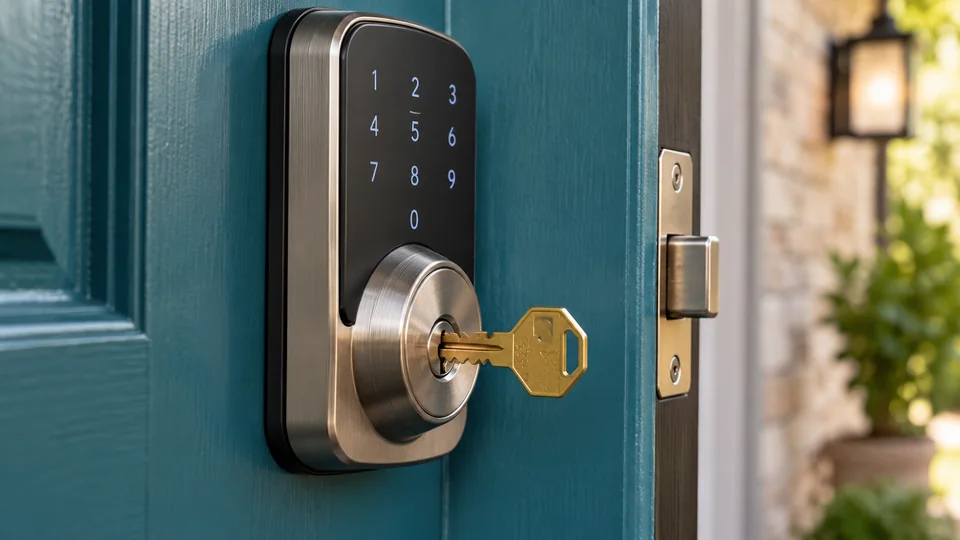
A smart lock with a physical key gives you two different ways through the door. You can leave keys in a drawer for everyday convenience, then keep a familiar mechanical backup for a dead battery, a lost phone, or a temperamental app. That combination makes these locks appealing for front doors, rentals, family homes, and anyone who likes electronic access without giving up a traditional key cylinder.
The important details sit below the glossy keypad. A deadbolt and a door-knob lock require different preparation, Bluetooth does not provide the same remote access as built-in Wi-Fi, and a gateway may be required for features such as off-site unlocking or voice control. Buyers also need to check door thickness, bore-hole size, battery type, automatic-lock settings, and whether the included keys are genuinely usable with the installed hardware.
Different households will favor different access methods. Fingerprint entry can be handy for children and busy mornings, while a keypad may be simpler for guests and cleaners. Property managers may care more about temporary codes and access logs than biometric entry. The comparison below focuses on locks that specifically document a physical-key backup, then weighs installation, connectivity, access management, and everyday practicality.
Quick Answer
Best Overall: eufy Security Smart Lock C220 offers built-in Wi-Fi, fingerprint entry, keypad access, app control, voice-assistant support, Apple Watch access, and a physical key in one front-door deadbolt package.
Best for Access Management: Veise VE017 combines fingerprint, app, keypad, fob, and mechanical-key entry with several code types, activity records, and optional gateway-based remote control.
Best for a Smart Door Handle: Yamiry Fingerprint Knob offers fingerprint, app, passcode, fob, and mechanical-key entry in a reversible handle-style design.
Best Simple Keypad Deadbolt: TEEHO TE001 keeps the setup focused on keypad codes, automatic locking, and two backup keys without requiring an app or hub for its core operation.
Best Smart Locks With Physical Keys Comparison Table
| Product | Best For | Lock Type | Entry Methods | Connectivity |
|---|---|---|---|---|
| eufy Security Smart Lock C220 | Connected front doors | Deadbolt | Fingerprint, keypad, app, key, Apple Watch, voice | Built-in Wi-Fi |
| Veise VE017 Matte Black | Detailed user management | Deadbolt | Fingerprint, app, code, fob, key | Bluetooth app, optional gateway |
| Yamiry Fingerprint Knob | Multi-method handle entry | Door handle lock | Fingerprint, app, code, fob, key | Bluetooth app, optional gateway |
| Fingerprint Smart Door Lock | Rental access management | Handle lock | Fingerprint, keypad, app, fob, key | Bluetooth app, optional Wi-Fi gateway |
| TMEZON Fingerprint Smart Lock | Fingerprint and card entry | Door knob lock | Fingerprint, code, app, IC card, key | Bluetooth app |
| Kucacci Keypad Smart Door Lock | Multi-property handle access | Door handle lock | Fingerprint, code, app, fob, key | App, optional Wi-Fi gateway |
| Yamiry Keypad Door Knob | Simple code entry | Door knob lock | Keypad, key | Standalone electronic lock |
| iulock Keypad and Key Lock | High code capacity | Door knob lock | Keypad, key | Standalone electronic lock |
| TEEHO TE001 | Keypad deadbolt simplicity | Deadbolt | Keypad, key | Standalone electronic lock |
The detailed reviews below separate connected locks from standalone keypad models so you can see which kind of physical-key backup and electronic access fits your door.
1. eufy Security Smart Lock C220 — Best Overall

The C220 makes the strongest all-around case for buyers who want a connected front-door deadbolt without giving up a conventional key. Its entry choices cover fingerprint, keypad, the eufy Security app, physical key, Apple Watch, and Alexa or Google voice control. That range is useful in a busy household. One person can tap a finger, another can enter a PIN, and someone carrying a grocery bag can use a phone or watch instead of hunting for keys.
Built-in Wi-Fi means the listing describes remote app control without a bridge, which keeps the hardware arrangement cleaner than models that need a separately sold gateway. The lock also fits most standard deadbolts, supports bores under 54 mm with the spacer removed, and is described as installable in about 15 minutes without drilling. Its published specifications include IP53 protection, a stated operating range from -22°F to 158°F, and an estimated battery life of up to eight months with eight AA batteries. Those details make it a strong front-door candidate, though the existing deadbolt still needs to match the installation requirements.
Pros
- Physical key backup is alongside several electronic entry methods.
- Built-in Wi-Fi supports remote app control without a bridge.
- Fingerprint, keypad, app, Apple Watch, and voice entry cover varied daily routines.
- Compatible with most standard deadbolts and bores under 54 mm with the spacer removed.
- The listing identifies IP53 protection, a stated temperature range, and an eight-month battery estimate.
Cons
- Eight AA batteries are required and battery life depends on usage.
- Compatibility still depends on the existing deadbolt and door preparation.
The C220 suits a primary entrance where remote status and multiple backup methods matter. It is especially appealing if other eufy devices are already in use, since the listing describes integration with the eufy Security ecosystem and doorbell routines. Buyers seeking a purely local, app-free keypad lock may find its connected features unnecessary, while anyone with an unusual door or mortise-style lock should verify the hardware before ordering.
To buy this product, click here.
2. Veise VE017 Fingerprint Smart Door Lock, Matte Black — Best for Access Management

The Veise VE017 is aimed at households and properties where access changes often. Its KK Home app supports adding, renaming, pausing, and deleting users, while the listing describes activity records that show who accessed the property and when. That is a more useful distinction than simply counting how many credentials a lock can store. A cleaner, sitter, or tenant can receive a code suited to the visit, and that access can be removed later.
Entry is broad: fingerprint, app, authorized access, fob card, code, code sharing, and mechanical key are all listed. The lock also supports permanent, one-time, duration, and recurring password modes, plus an anti-peeping PIN feature. The G1 gateway is sold separately and is required for remote access and voice-assistant control, so the lock’s local Bluetooth functions should not be confused with internet-based control. Installation is described for doors 1-3/8 to 2 inches thick and 1-1/2 or 2-1/8-inch lock holes, with an emergency USB-C port and four AA batteries.
Pros
- Physical key entry is included among the unlocking methods.
- App-based user controls include adding, pausing, deleting, and monitoring access.
- One-time, duration, permanent, and recurring code modes suit different visitors.
- Supports fingerprint, keypad, fob, app, and code entry in one deadbolt.
- The listing identifies an emergency USB-C port, low-battery alert, and IP55 protection.
Cons
- Remote control and voice-assistant functions require the separately sold G1 gateway.
- Batteries are not included, and the lock requires careful latch and strike alignment.
This is a strong choice for rental units, shared homes, and families that need more than a single permanent PIN. The physical key provides a useful fallback, while the app handles credentials that would be awkward to manage manually. Skip it if you want built-in Wi-Fi or a lock that operates entirely without an account and app. Also check that the existing bore and door thickness fall within the listed range before beginning installation.
To buy this product, click here.
3. Yamiry Fingerprint Smart Door Handle Lock — Best for a Multi-Method Handle

A door handle lock changes the installation conversation. Instead of adding a smart deadbolt above an existing handle, this Yamiry model is presented as a replacement for a handle, knob, or deadbolt on a standard American wooden front door. Its reversible handle is intended for left- or right-opening doors, and the listing describes screwdriver installation without additional drilling. That can make the hardware look more unified, provided the existing door preparation matches the product.
The entry menu includes fingerprint, Bluetooth phone control, personal passcodes, a key fob, and a mechanical key. The app can create permanent or one-time codes and record unlock activity, which gives it more practical access control than a basic keypad knob. Remote unlocking and Alexa voice control require a separately sold Wi-Fi gateway, so the phone app’s local connection should not be treated as built-in remote access. For a landlord or household with several visitors, that distinction affects both setup and ongoing management.
Pros
- Mechanical-key backup is alongside fingerprint, code, app, and fob entry.
- Reversible handle supports left- and right-opening configurations.
- App features include permanent codes, one-time codes, and unlock records.
- The listing describes installation with a screwdriver and no additional drilling.
- Optional gateway support adds remote unlocking and Alexa control.
Cons
- Remote control and voice features require a separately sold Wi-Fi gateway.
- Compatibility is described for standard American wooden doors, not every door type.
This model fits someone who wants a handle-style replacement with several ways to get inside and a physical key for emergencies. It also makes sense for a rental or shared property where temporary codes are useful. A conventional deadbolt may be a better starting point if your door already has a compatible deadbolt and you want to preserve the current handle. Confirm the door preparation and handle arrangement before ordering rather than relying on the word “standard.”
To buy this product, click here.
4. Fingerprint Smart Door Lock with Handle and Keypad — Best for Rental Access

This handle lock speaks directly to situations where access has to change without handing out a physical key every time. The entry methods include fingerprint, keypad, app, fob, and mechanical key. The listing also describes guest-code generation through an app or web interface, along with remote access logs for rental management. That combination gives a host a way to issue entry information before arrival while retaining a key for a local fallback.
Its connectivity has a clear boundary. Bluetooth app functions are available from a nearby phone, while remote access and Alexa or Google Assistant control require the optional Sifely Wi-Fi Gateway. The distinction matters in a vacation rental because a lock may appear app-enabled but still need extra hardware for off-site control. Installation is described as a no-drill replacement for most standard doors, with a reversible handle for left- and right-handed doors. The available information does not identify every bore or door-thickness requirement, so the listing’s general compatibility language should be checked against the actual door.
Pros
- Physical key backup is included with fingerprint, keypad, app, and fob access.
- Guest codes can be generated through the app or web interface.
- Remote access logs support rental and shared-property administration.
- Reversible handle accommodates left- and right-handed doors.
- Optional gateway support adds remote control and voice-assistant compatibility.
Cons
- Off-site access and voice control require the optional Sifely Wi-Fi Gateway.
- The listing does not provide the full set of door-preparation dimensions.
This is a sensible fit for a rental property or family entrance where different people need different ways inside. Its value comes from the access workflow rather than from a single standout biometric specification. Buyers who want built-in Wi-Fi, detailed mechanical dimensions, or a deadbolt-only design may prefer another model here. Make sure the optional gateway and the door’s existing hardware are accounted for before committing to the installation.
To buy this product, click here.
5. TMEZON Fingerprint Smart Lock with Handle — Best for Fingerprint and Card Entry

The TMEZON stands apart by adding IC card entry to the more familiar fingerprint, PIN, app, and key options. The listing says the lock supports more than 50 fingerprints and up to 100 IC cards, with four cards included. That can be useful in an office, bedroom, hotel-style room, or shared space where tapping a card is easier than remembering a code. The two physical keys remain important for the moments when the batteries are depleted or electronic access is unavailable.
Its Tuya Bluetooth app can lock and unlock the door, share electronic codes, manage users, display logs, and provide alerts. The listing specifically says it is not Wi-Fi, so the app should be understood as a nearby Bluetooth management tool rather than built-in remote control from anywhere. Automatic locking can be set to five seconds after the door closes, and an anti-lock function on the inside is limited to administrators. The product is described as fitting most US standard left- and right-handed doors without drilling, although the product description does not provide a complete set of bore and thickness measurements.
Pros
- Two physical keys complement fingerprint, PIN, app, and IC card entry.
- Supports more than 50 fingerprints and up to 100 IC cards according to the listing.
- Tuya Bluetooth app provides user management, code sharing, logs, and alerts.
- Automatic locking can be set for five seconds after the door closes.
- Voice-guided installation is described for many standard left- and right-handed doors.
Cons
- The listing explicitly identifies Bluetooth app control rather than Wi-Fi connectivity.
- Complete door-preparation dimensions are not provided in the available information.
Choose this lock if cards are a meaningful part of the access plan. It may be more practical than a keypad-only handle in a room shared by many users, especially where cards can be distributed and collected. It is less suitable for someone expecting remote unlocking while away from home. Check the supplied card frequency requirement and the physical door fit, then decide whether the local Bluetooth design meets your management needs.
To buy this product, click here.
6. Kucacci Keypad Smart Door Lock with Handle — Best for Multi-Property Handle Management

The Kucacci combines a replacement-style handle with five access methods: fingerprint, PIN, smartphone app, key fob, and mechanical keys. That broad menu is useful for a property where a child may use a fingerprint, a visitor may receive a code, and the owner may prefer the physical key. Its reversible handle is intended for both door-opening directions, and the listing describes installation in about 10 minutes with a screwdriver without additional drilling.
Access management is handled through the NICE DIGI app, which the listing describes as free for life and capable of managing multiple locks. Permanent and one-time codes, permission assignment, and real-time access tracking are included in the product description. Remote unlocking and Alexa voice control require a Wi-Fi gateway, so the lock’s app features and its off-site features should be planned as separate parts of the setup. The listing does not identify all door-preparation dimensions, which is a reason to verify the existing handle, knob, or deadbolt arrangement before purchase.
Pros
- Mechanical keys are included with fingerprint, PIN, app, and fob entry.
- Reversible handle supports both left- and right-opening doors.
- NICE DIGI app is described as supporting multiple locks and property management.
- Permanent and one-time codes provide different access options for visitors.
- The listing describes installation with a screwdriver and no additional drilling.
Cons
- Remote unlocking and Alexa voice control require a Wi-Fi gateway.
- Detailed bore, backset, and door-thickness information is not supplied.
This lock is most useful when several compatible handles need to be managed through one app. It provides more flexibility than a standalone keypad knob, while the mechanical keys keep the access plan from depending entirely on electronics. A buyer replacing a deadbolt should confirm that the handle configuration is appropriate, since this is presented as a handle, knob, or lockset replacement rather than a universal retrofit device.
To buy this product, click here.
7. Yamiry Keypad Smart Door Knob Lock — Best for Simple Code Entry

Some buyers want a keypad and a key, then would rather skip accounts, hubs, and phone pairing. This Yamiry knob follows that simpler route. It stores up to 20 user codes, accepts four- to eight-digit PINs, and includes two backup keys. A temporary one-time code is listed for guests, which is a useful touch for a dog walker or short visit when sharing a household code would be unnecessary.
The backlit keypad helps in a dark entryway, while the lock can be set to auto-lock anywhere from five to 99 seconds or left unlocked by disabling the feature. A low-battery indicator and IP54 weather resistance are also listed. Installation is described as a screwdriver-only replacement that can take less than 15 minutes, but the available product information does not supply the full latch, bore, or door-thickness measurements. That makes a careful fit check important, especially if the existing door uses unusual preparation.
Pros
- Two physical keys provide a straightforward mechanical fallback.
- Supports up to 20 user codes plus a listed one-time guest code.
- Backlit keypad and low-battery indicator support nighttime use.
- Auto-lock timing can be adjusted from five to 99 seconds or disabled.
- The listing describes screwdriver installation and IP54 weather resistance.
Cons
- There is no smartphone app, Wi-Fi, or Bluetooth control.
- Full door-preparation dimensions are not included in the available information.
This is a good fit for an interior, side, or front-door location where local code entry is enough and a physical key matters. It is less suitable for remote property management or a household that wants fingerprint access. Its straightforward design also means fewer electronic dependencies, but it places more responsibility on the owner to manage codes and replace batteries before the warning appears.
To buy this product, click here.
8. iulock Keypad and Key Smart Door Lock — Best for High Code Capacity

The iulock focuses on code capacity and flexible standalone operation. It supports up to 50 customizable codes ranging from one to 15 digits, which gives a larger household or small office more room to assign individual entry credentials. Two mechanical keys are included, so the lock can still be opened through a conventional cylinder when electronic access is inconvenient. Its backlit numbers and silent mode also address two small but real entry annoyances: poor visibility after dark and keypad noise in a quiet hallway.
The listing identifies passage mode, a Type-C USB backup input, a low-battery alarm, and four AAA batteries with a claimed life of up to 18 months. The USB input should be viewed as emergency power access rather than normal battery charging unless the product documentation says otherwise. Door compatibility is described for 1-3/8 to 2-1/2-inch doors, with adjustable 2-3/8 or 2-3/4-inch latches and left- or right-handed installation. IP65 weather resistance is listed, though the actual installation location should still follow the product’s instructions.
Pros
- Two mechanical keys provide physical backup entry.
- Stores up to 50 customizable codes according to the listing.
- Passage mode and silent mode support different household routines.
- Type-C emergency power input is listed for depleted batteries.
- Published compatibility includes a broad door-thickness range and adjustable latch positions.
Cons
- There is no app, Wi-Fi, Bluetooth, or remote access.
- The stated 18-month battery figure is a listing estimate that will vary with use.
This lock suits a buyer who wants many PINs but does not need a connected ecosystem. It can make sense for a rental, office, garage entry, or family door where codes are easier to distribute than keys. The trade-off is clear: access logs, remote code changes, and fingerprint entry are absent from the product description. Choose it for local keypad control and broad stated fit, not for smartphone management.
To buy this product, click here.
9. TEEHO TE001 Keyless Entry Deadbolt — Best for Keypad Deadbolt Simplicity

The TEEHO TE001 keeps its feature set centered on a keypad deadbolt and two backup keys. It supports 20 user codes plus a temporary one-time code that is deleted after use, which is enough for many households and occasional visitors. A one-touch locking action is available by holding a keypad button for two seconds, while automatic locking can be set from 10 to 99 seconds. Those controls are useful for someone leaving with an armful of bags or wanting the door to lock itself after entry.
Four AA batteries power the lock, and the listing claims up to 365 days of operation with a low-battery alert below 15 percent. The deadbolt is described as IP54 weather-resistant and made from aluminum alloy, with anti-peeping code protection. Installation takes a screwdriver, but this model has a specific limitation: it fits a 2-1/8-inch door hole and is not compatible with 38 mm holes. The lock must also be reset before use so it can detect the door direction, a small setup step that should not be skipped.
Pros
- Two physical keys are included with keypad entry.
- Supports 20 user codes and a disposable one-time guest code.
- Offers both timed auto-locking and one-touch locking.
- Includes a low-battery warning and a stated 365-day battery estimate.
- The listing identifies IP54 weather resistance and anti-peeping code protection.
Cons
- It fits 2-1/8-inch door holes and is not compatible with 38 mm holes.
- There is no app, Wi-Fi, Bluetooth, or fingerprint entry.
The TE001 is a sensible choice for a standard front door that already matches its hole requirement and needs simple PIN access with a traditional key fallback. It is less flexible than the connected models above, but that can be an advantage for someone who does not want accounts or gateway hardware. Check the bore size first, reset the lock during setup, and treat the battery figure as an estimate rather than a guarantee.
To buy this product, click here.
Buying Guide
Start With the Existing Door Hardware
A physical-key smart lock still has to fit the door’s mechanical preparation. Deadbolts, door knobs, and handle locks are different installations, even when their keypads look similar in an online photograph. The TEEHO TE001, for example, is specifically limited to a 2-1/8-inch hole, while the iulock listing describes a different range of door thicknesses and adjustable latch positions. Measure the existing bore, door thickness, backset where available, and the shape of the current lock before choosing a model.
Choose a Deadbolt or Handle Replacement
Deadbolt models are usually the clearer choice for a front door that already has a separate handle and deadbolt. Handle-style products replace more of the entry hardware and can create a cleaner appearance, but they depend on the door’s handle and latch preparation. The Yamiry, Kucacci, and rental-oriented fingerprint models are presented as handle or lockset replacements. Do not assume a handle lock can be installed in every deadbolt opening without checking the product’s stated configuration.
Decide How Much Connectivity You Actually Need
Standalone keypad locks such as the Yamiry keypad knob, iulock, and TEEHO can handle everyday PIN entry without a app or hub. That simpler arrangement may be preferable for a side door or household that wants fewer accounts. Connected models add remote management and access records, but their requirements differ. The eufy C220 lists built-in Wi-Fi, while the Veise, Yamiry fingerprint, and Kucacci products require a separately sold gateway for remote functions.
Separate Local Bluetooth From Remote Access
Bluetooth app control generally means the phone communicates with the lock nearby. It does not automatically mean the lock can be opened from another city. The TMEZON listing explicitly says its app is not Wi-Fi, and the Veise listing says its G1 gateway is required for remote access. Read the connectivity details as a system diagram: lock, phone, gateway, router, and account may each have a separate role.
Match the Entry Methods to the People Using the Door
Fingerprint entry is useful for people who dislike carrying keys, while a keypad is easier to share with a visitor. Cards can be handy in offices or room-style applications, which is where the TMEZON’s IC card support becomes relevant. A mechanical key remains valuable for battery depletion or electronic problems, but it should be stored somewhere accessible and secure. More entry methods also mean more credentials to manage, so choose variety only when the household will actually use it.
Review Code Management, Not Only Code Count
A lock that stores 50 codes is not automatically better for rentals than one that stores 20. The more useful questions are whether codes can be temporary, whether they expire, whether users can be removed, and whether access records are available. The Veise lists multiple code modes and user controls, while the TEEHO and Yamiry keypad models focus on stored codes and one-time entry. Match the management tools to the number of people and how often access changes.
Plan for Batteries and Emergency Entry
Every battery-powered lock needs a replacement routine. Check the battery type, the low-battery warning, and whether the lock provides a physical key or an emergency power input. The iulock lists a Type-C emergency input, while several other products include mechanical keys. Emergency USB power is not automatically the same as recharging the installed batteries. Keep the physical key available, use the recommended battery type, and avoid treating advertised battery duration as a guaranteed schedule.
Treat Security Claims With Appropriate Caution
A physical key, keypad, fingerprint sensor, and app each solve a different access problem. None of them alone guarantees resistance to forced entry or account compromise. Mechanical fit, door alignment, strike installation, credential management, and battery maintenance still matter. The eufy listing includes a BHMA Grade 3 claim, and the TEEHO listing identifies ANSI Grade 3 security, but those claims should be understood as product-specific information rather than a promise that every door installation has identical security performance.
Best Smart Locks With Physical Keys FAQ
Why choose a smart lock that still has a physical key?
A physical key provides an independent entry method if the batteries run down, the phone is unavailable, or the electronic controls are not responding. It also helps households transition from a conventional lock without abandoning familiar hardware. The key does not replace good installation or account security, but it can make an emergency access plan more practical.
Do all smart locks with keypads include physical keys?
No. A keypad only describes the electronic entry surface. Some locks may use a keypad with an electronic motor and no traditional cylinder, while others include one or more mechanical keys. Confirm that the exact model listing documents physical keys rather than assuming the feature from the product category.
Can I use a smart lock with a physical key during a power outage?
Most products in this roundup run on batteries, so a household power outage does not automatically disable the lock. The more relevant issue is depleted or improperly installed batteries. A physical key can provide entry where included, while a USB emergency input can temporarily power some models. Emergency power access should not be confused with charging the lock’s regular batteries.
Is built-in Wi-Fi better than Bluetooth for a keyed smart lock?
Neither is universally better. Built-in Wi-Fi can support remote app control without a separate gateway, as described for the eufy C220. Bluetooth can be sufficient for nearby management and may avoid adding another network device. If off-site unlocking matters, check whether the model has built-in Wi-Fi or requires a gateway, and confirm which functions remain available without an internet connection.
Do fingerprint locks still need a physical key?
A fingerprint lock can offer convenient daily entry, but a physical key remains useful as an independent fallback. Fingerprint access also depends on enrolled credentials, battery power, and the sensor recognizing the finger. Models such as the Veise, eufy, TMEZON, Yamiry, and Kucacci list mechanical-key entry alongside biometric access, giving the owner more than one way to enter.
Can these locks be installed on any front door?
No. Product descriptions often use phrases such as “standard door,” but the actual fit depends on door thickness, bore-hole diameter, backset, latch, strike alignment, handing, and whether the product is a deadbolt or handle replacement. The TEEHO has a 2-1/8-inch hole limitation, while the Veise and Philips-style handle designs list specific door ranges. Measure before ordering and follow the exact installation requirements.
Do I need a gateway for every connected lock?
No. The eufy C220 listing describes built-in Wi-Fi and remote app control without a bridge. Several other models use a nearby Bluetooth connection and require a separately sold gateway for remote access or voice control. Read “app control” and “remote access” as separate features rather than assuming one automatically includes the other.
Are one-time codes the same as full rental management?
No. A one-time code can be useful for a single visitor, but full rental management may also require scheduled access, user records, remote changes, credential removal, and status monitoring. The Veise, Kucacci, Yamiry fingerprint, and rental-oriented fingerprint models list more management functions than the standalone keypad locks. Review the exact app features before selecting a lock for frequent guest turnover.
Final Verdict
The eufy Security Smart Lock C220 is the strongest overall choice in this group for a connected front door with a physical-key backup. Its built-in Wi-Fi, fingerprint entry, keypad, app, Apple Watch, and voice options cover more everyday situations than the standalone keypad locks, while the listing provides useful compatibility and environmental details. The Veise VE017 is the better alternative for detailed user and code management, especially where temporary, recurring, or duration-based access matters.
For a handle-style installation, the Yamiry Fingerprint Knob and Kucacci provide broad entry choices, but both require careful attention to the existing door hardware and optional gateway requirements. The TEEHO TE001, Yamiry keypad knob, and iulock are better suited to buyers who want local keypad operation with a key and fewer connected features. Before ordering any of the nine, verify the door measurements, decide whether remote control is genuinely needed, and keep the physical key accessible rather than treating it as an afterthought.
