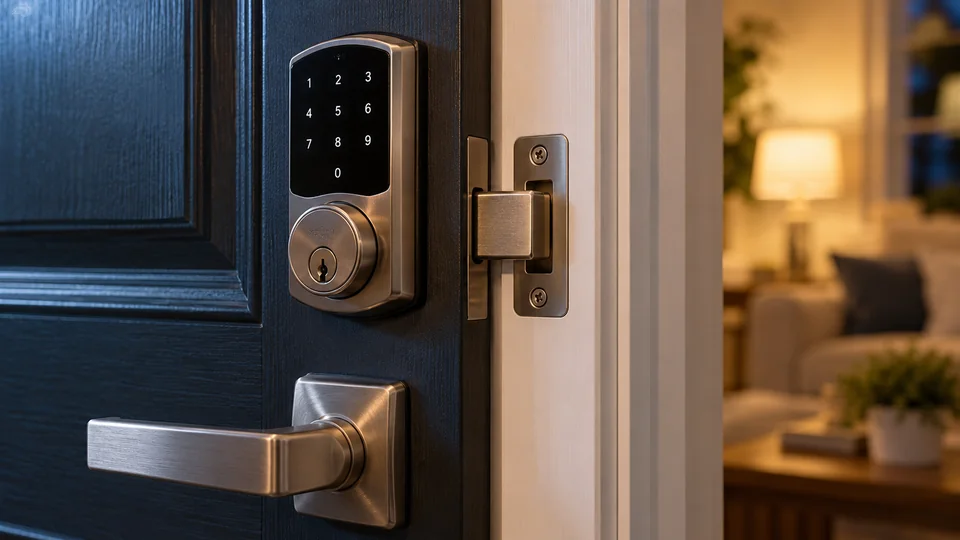
Yes, a smart lock can provide safe, practical door security, but its safety depends on the complete installation. The mechanical lock, door, frame, electronic credentials, mobile account, network connection, firmware, and access permissions all affect the result. Smart locks are neither inherently safer nor inherently less safe than traditional locks.
A secure electronic credential cannot compensate for a weak strike plate or a poorly aligned deadbolt. Likewise, strong lock hardware does not protect an account secured by a reused password. Evaluating a smart lock requires looking at physical and digital risks separately, then considering how they interact.
What Smart Lock Safety Actually Means
A smart lock combines several components that perform different security functions:
- Mechanical hardware physically secures the door through a deadbolt, latch, lever assembly, mortise mechanism, or another locking system.
- An actuator or motor moves or releases the locking mechanism on many models.
- An electronic controller processes authorized commands and manages lock functions.
- An authentication method verifies a PIN, fingerprint, phone credential, key card, digital key, app account, or other form of access.
- A communication system may use Bluetooth, Wi-Fi, Zigbee, Z-Wave, Thread, NFC, or another technology.
- Software and services may manage users, remote commands, notifications, access logs, and firmware updates.
A keypad or fingerprint reader authorizes access, but it does not determine how resistant the door is to physical force. That depends on the lock mechanism, strike, fasteners, frame, door material, and installation quality.
Terminology matters here. A basic electronic keypad lock may operate without any network connection. A connected smart lock can communicate with an app, hub, controller, or online service. A retrofit smart lock usually operates compatible existing hardware from the interior rather than replacing every part of the lock. These configurations do not share identical risks or capabilities.
The Main Security Risks
| Risk | Example | Useful Protection |
|---|---|---|
| Forced entry | Damage to the door, frame, strike, or lock hardware | Sound hardware, reinforced installation, correct alignment, and appropriate door construction |
| Mechanical manipulation | Attack on a key cylinder or other physical component | Documented mechanical security features and controlled backup-key access |
| Credential exposure | A shared, observed, guessed, or reused PIN | Unique codes, prompt revocation, and restricted sharing |
| Account takeover | An attacker gains control of the lock’s app account | A unique password, multifactor authentication where supported, and protected email access |
| Wireless or software attack | Exploitation of a protocol, implementation, app, or cloud-service weakness | Supported products, firmware updates, secure account settings, and maintained network equipment |
| Installation failure | A binding deadbolt fails to extend fully | Correct installation, smooth manual operation, and testing with the door open and closed |
| Permission mismanagement | An old guest, contractor, or tenant retains access | Named credentials, expiration settings where available, and regular access reviews |
Mechanical Security Still Protects the Door
Electronic features do not replace the physical job of a lock. A smart deadbolt must extend into the strike correctly, and the strike must be secured to a suitable frame. A high-quality credential system attached to a weak door assembly can still leave the entrance vulnerable to force.
Mechanical security may involve:
- Deadbolt or latch construction
- Strike-plate fit and fastening
- Door-frame strength
- Door material and condition
- Key-cylinder design, if a cylinder is present
- Correct mounting and screw tension
- Full bolt extension without binding
Relevant ANSI or BHMA grading can provide information about documented mechanical performance when it applies to the exact lock model. Such grading should not be interpreted as a cybersecurity certification. Matter certification, wireless certification, and regulatory radio approval also address different concerns. None establishes resistance to every physical or digital attack.
Hardware compatibility affects security as well. A smart deadbolt made for a bored residential door is not automatically suitable for a mortise lock, multipoint door, narrow-stile door, sliding door, glass door, or commercial exit. Forcing an incompatible lock into place can weaken operation or interfere with safe egress.
How Electronic Access Methods Compare
No access method is universally strongest. Each introduces its own management requirements and backup needs.
PIN Codes
PIN entry avoids carrying a key or phone, but codes can be observed, guessed, or shared. A long, unique PIN is generally preferable to a simple pattern, birth year, address fragment, or code reused elsewhere.
Household members and recurring visitors should have separate codes where the lock supports them. Individual credentials make revocation easier and can make access records more useful. Temporary, scheduled, recurring, and one-time codes are distinct features, and a keypad does not guarantee support for all of them.
Fingerprint Recognition
A fingerprint reader can provide quick local access, but it is not infallible or impossible to spoof. Dirt, moisture, finger placement, injury, and environmental conditions may affect recognition. Owners should configure a supported backup method rather than depend on biometrics alone.
Privacy practices vary by manufacturer and model. Product documentation should explain how biometric templates are processed, where related data is stored, and how it can be deleted. Avoid assuming that every fingerprint lock stores information locally or uses the same data format.
Phone Credentials and Digital Keys
Phone-based entry may use a nearby Bluetooth connection, an app command, NFC, or a platform-specific digital credential. These methods are not interchangeable.
Apple Home compatibility does not establish Apple Home Key support. Apple Home Key requires a compatible lock and supported Apple devices and software. NFC support by itself does not establish Home Key compatibility. UWB is another separate radio technology that can support precise ranging in suitable implementations, but its presence does not automatically provide hands-free unlocking.
A phone used as a credential should have a strong device passcode, current software, and remote-loss protections configured through its platform. Access should be removed from lost or retired devices promptly.
Physical Keys
A backup key can preserve access during an electronic problem, but it also creates a mechanical attack path and must be controlled like any other credential. Some smart locks have no key cylinder, while others retain an existing exterior cylinder as part of a retrofit installation.
Emergency external power is a different recovery method. A supported emergency power port may temporarily power the electronics so an authorized credential can be used. It does not necessarily recharge the installed batteries. Exact recovery procedures depend on the model.
Can Smart Locks Be Hacked?
Any connected device can have software, account, implementation, or service vulnerabilities. That means a smart lock cannot honestly be described as unhackable. It also does not mean that every smart lock is easily compromised or that digital attacks represent the only meaningful risk.
Potential digital attack paths include:
- Stolen or reused account passwords
- Compromised email accounts used for password recovery
- Improperly shared app permissions
- Exposed or predictable access codes
- Vulnerabilities in lock firmware or mobile applications
- Weaknesses in a manufacturer service or third-party integration
- Insecure home network equipment
- Loss of a phone containing an active credential
Encryption can protect communication or stored information, but a documented encryption feature does not prove that the entire product is secure. Account recovery, software design, credential storage, authorization rules, update delivery, and cloud infrastructure also matter. Marketing terms such as “bank-level” or “military-grade” do not provide enough detail to evaluate a complete security design.
Connectivity Changes Features and Exposure
The radio technology affects how a lock communicates, but it does not determine the entire security outcome.
- Bluetooth commonly supports nearby setup or control. Bluetooth alone does not provide remote internet access. Some locks use a bridge, hub, or gateway for remote functions.
- Wi-Fi can connect a lock to a local wireless network. Wi-Fi connectivity is separate from internet availability and cloud-service access. Local PIN or fingerprint entry may continue during an internet outage, depending on the product.
- Zigbee and Z-Wave are distinct technologies that usually require a compatible controller. Having the correct radio does not guarantee that every hub exposes all lock functions.
- Thread is an IP-based, low-power mesh networking technology. A Thread border router connects the Thread network to other IP networks.
- Matter is an interoperability standard rather than a radio technology. A Matter lock may use Thread or another supported transport. Matter does not guarantee identical features across every smart home platform.
A device serving as a Thread border router may also act as a Matter controller, but those are separate functions. Manufacturer hubs, generic smart home gateways, Wi-Fi routers, and Matter controllers should not be treated as equivalent without checking their documented capabilities.
Cloud connectivity can support remote unlocking, alerts, user management, or access history. It may also add dependence on an account, internet service, and the provider’s infrastructure. Local operation can reduce some dependencies, though a locally controlled lock still needs secure firmware, credentials, installation, and network configuration.
Power Failure Usually Does Not Mean Immediate Lockout
Most residential smart locks are battery powered, so a household electricity outage does not directly remove power from the lock. The outage may disable the Wi-Fi router, internet modem, powered hub, bridge, or smart home controller. Local entry methods may remain available while remote commands and notifications stop working.
Battery depletion is a separate event. Depending on the model, recovery may involve:
- A physical backup key
- Replacing removable batteries
- Charging or replacing a manufacturer-specific battery pack
- Applying temporary external power through a supported connection
Owners should know the documented recovery method before a low-battery event occurs. Batteries must match the chemistry and type specified by the manufacturer. Rechargeable cells, primary lithium batteries, alkaline batteries, and proprietary packs are not universally interchangeable.
Account Security Deserves the Same Attention as the Door
Remote control makes the app account part of the access system. Several basic practices can reduce avoidable risk:
- Use a unique account password. Do not reuse a password from email, shopping, social media, or another smart home service.
- Enable multifactor authentication where available. This adds protection if the password is exposed.
- Protect the associated email account. Password-reset messages can make email access a path into the lock account.
- Review shared users regularly. Remove former residents, contractors, visitors, and unused devices.
- Limit administrator privileges. Ordinary users should not receive full management access unless they need it.
- Install supported updates. Keep the lock’s firmware, mobile app, phone operating system, hubs, and controllers current.
- Secure the home network. Use modern router security settings, a strong Wi-Fi password, and maintained networking equipment.
Voice control also needs scrutiny. Platform policies may restrict voice unlocking or require a spoken PIN, but behavior varies by integration and configuration. Alexa, Google Home, Apple Home, SmartThings, Matter, and Home Assistant can expose different controls for the same lock. Basic lock status or lock commands do not establish complete support for user codes, fingerprints, access logs, or digital-key management.
Installation Quality Can Determine Whether the Lock Works Safely
A smart lock motor should not have to compensate for a binding deadbolt. If the bolt moves smoothly while the door is open but struggles when the door is closed, the likely issue is alignment between the door, bolt, and strike rather than authentication or wireless connectivity.
During installation and initial setup:
- Confirm that the lock matches the existing door preparation and mechanism.
- Check door thickness, backset, bore dimensions, latch or deadbolt type, frame clearance, and required adapters according to the exact model documentation.
- Keep the door open during initial electronic tests so a configuration problem does not create a lockout.
- Verify smooth manual movement before relying on the motor.
- Test locking and unlocking with the door both open and closed.
- Confirm that the bolt extends fully and that the app reports status correctly, if status reporting is supported.
- Preserve required interior exit operation.
Commercial entrances, fire-rated openings, shared-building doors, mortise systems, multipoint locks, and other specialized hardware can have additional requirements. A qualified locksmith or appropriate door-hardware professional should evaluate uncertain or regulated installations.
Privacy Depends on the Product and Configuration
Connected locks may process access logs, user names, device identifiers, account information, notification history, and shared credentials. Fingerprint models may also process biometric templates. Storage and sharing practices vary among products and services.
Before enabling cloud features or third-party integrations, review:
- What information the lock and app collect
- Whether data is stored locally, in the cloud, or through both arrangements
- How long access history is retained
- Which household members or administrators can view activity
- How third-party platforms use lock information
- How credentials and records can be deleted
- What happens to account access when ownership changes
Access logs can be useful for security and property management, but they also create a record of household activity. Users should receive appropriate access without being granted unnecessary visibility or administrative control.
Practical Steps for Safer Smart Lock Use
- Choose hardware that fits the exact door and locking mechanism.
- Check documented mechanical grading or testing for the exact model where physical performance matters.
- Use separate credentials for different people rather than sharing one code.
- Delete credentials as soon as access is no longer needed.
- Avoid predictable PINs and change any code that may have been observed or shared too widely.
- Enable account multifactor authentication where supported.
- Keep firmware, apps, controllers, and phones updated.
- Respond to low-battery warnings before the batteries are exhausted.
- Test backup access periodically without intentionally disabling normal access.
- Inspect door alignment if the motor sounds strained or the bolt does not move smoothly.
- Review third-party integrations and remove unused account links.
- Follow documented procedures when transferring the lock to a new owner or resident.
So, Are Smart Locks Safe Enough for a Front Door?
A properly selected, installed, and maintained smart lock can be appropriate for a front door. Its security should be judged as a system rather than by one feature such as a fingerprint reader, remote app, encryption claim, or mechanical grade.
The strongest setup combines sound door hardware, smooth mechanical operation, controlled credentials, protected accounts, current software, and a documented backup-entry method. Smart features can improve access management by allowing separate credentials, prompt revocation, and status notifications where supported. Those benefits remain dependent on careful configuration and ongoing maintenance.
No lock eliminates every risk. A smart lock is safest when its connected features complement solid physical security instead of being treated as a replacement for it.
