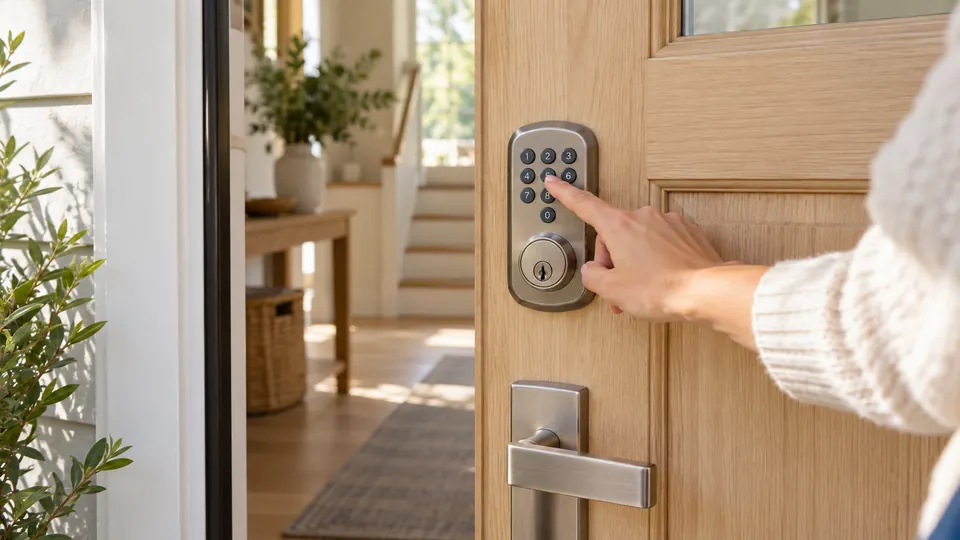
A smart lock without a subscription should give you keyless entry, useful access controls, and app connectivity without turning basic locking features into a recurring bill. That sounds straightforward until you compare built-in Wi-Fi models, Bluetooth-only operation, optional gateways, fingerprint readers, keypads, and complete handle replacements. A lock may offer remote control through an app while still requiring a separately sold hub, so the connection details matter as much as the headline feature list.
The biggest purchasing mistake is treating every “smart” lock as equally independent. Some models work remotely through built-in Wi-Fi, while others need a gateway for remote access and voice control. Installation also varies sharply. A deadbolt retrofit may fit an existing standard lock, but a lock with a lever requires more door hardware to be replaced. Battery type, physical key backup, emergency power, weather resistance, and access logs all affect what happens after the novelty wears off.
The products below are ranked by their fit for subscription-free ownership, access features, connection requirements, installation information, and practical limitations. The listings do not identify a recurring subscription requirement for these models, but app accounts, gateways, Wi-Fi, and third-party smart-home services may still be necessary for particular functions.
Quick Answer
Best Overall: The eufy Security Smart Lock C220 offers a well-rounded mix of fingerprint entry, keypad access, built-in Wi-Fi, physical-key backup, and a retrofit-style installation for many standard deadbolts. Its remote functions do not require a separate bridge according to the listing.
Best for Guest Access: The Philips Upgraded Wi-Fi Smart Lock with Handle supports permanent, scheduled, temporary, and one-time access codes, along with activity records and a complete handle set.
Best for Matter Smart Homes: The ULTRALOQ Bolt SE supports Matter over Thread as well as built-in Wi-Fi, but Matter functions require a compatible Thread Border Router.
Best for Keypad and Fingerprint Flexibility: The Veise VE017 combines fingerprint entry, codes, app access, fob cards, and a mechanical key. Remote control requires the separately sold G1 Gateway.
Best Smart Locks Without a Subscription Comparison Table
| Product | Best For | Lock Type | Entry Methods | Connection Requirements |
|---|---|---|---|---|
| eufy Security Smart Lock C220 | Best Overall | Deadbolt | Fingerprint, keypad, app, key, voice, Apple Watch | Built-in Wi-Fi |
| Philips Upgraded Wi-Fi Smart Lock | Guest access and lever replacement | Deadbolt with handle | Fingerprint, PIN, app, voice, key | Built-in 2.4 GHz Wi-Fi |
| Tapo DL100 Smart Wi-Fi Deadbolt | Keypad users and smart-home integration | Deadbolt | Keypad, Bluetooth, app, voice, key | Wi-Fi and Bluetooth |
| ULTRALOQ Bolt SE | Matter and multi-platform homes | Deadbolt | Fingerprint, code, app, eKey, key, voice | Wi-Fi, Matter over Thread |
| Veise VE017 | Fingerprint entry and user management | Deadbolt | Fingerprint, code, app, fob, key | Bluetooth; G1 Gateway for remote access |
| Philips Wi-Fi Keypad Door Lock | Complete handle-set replacement | Deadbolt with handle | Fingerprint, PIN, app, voice, key | Built-in 2.4 GHz Wi-Fi |
| Philips Wi-Fi Keypad Deadbolt | Flexible codes and backlit keypad | Deadbolt with lever | Fingerprint, PIN, app, voice, key | Built-in Wi-Fi |
| DESLOC B200 | Fingerprint access with Bluetooth | Deadbolt | Fingerprint, PIN, app, eKey, fob, key | Bluetooth; G2 Gateway for remote access |
| eufy Security Smart Lock C210 | Simple Wi-Fi keypad entry | Deadbolt | Keypad, app, key, voice, Apple Watch | Built-in Wi-Fi |
Each review below focuses on the ownership details that matter after installation, especially recurring-service expectations, connection hardware, access management, and door compatibility.
1. eufy Security Smart Lock C220 — Best Overall

The C220 is the strongest all-purpose fit here because its core remote functions are handled through built-in Wi-Fi rather than a separately sold bridge. That distinction is easy to miss in a product comparison. You can use the fingerprint reader for a quick arrival, a keypad for family access, a physical key as a fallback, or the eufy app for remote control. Alexa, Google Assistant, and Apple Watch access add more choices, although each depends on the relevant account and device setup.
Installation is aimed at standard deadbolt replacements, and the listing says it fits bores under 54 mm by removing the spacer. It also describes a 15-minute installation without drilling, but that should be read alongside the condition of the existing door and deadbolt alignment. The lock uses eight AA batteries and has a claimed runtime of up to eight months, with battery life changing according to use. IP53 protection, a listed operating range from -22°F to 158°F, and a BHMA Grade 3 claim make it better for an exposed entry than several basic indoor-oriented alternatives.
Pros
- Built-in Wi-Fi supports remote app control without a separate bridge.
- Fingerprint, keypad, app, physical key, voice, and Apple Watch entry provide multiple access paths.
- Listing identifies compatibility with many standard deadbolt installations and a 54 mm bore option.
- Includes a claimed battery life of up to eight months from eight AA batteries.
- IP53 protection, a stated temperature range, and a BHMA Grade 3 claim provide useful environmental information.
Cons
- The listing does not specify every door dimension, backset, or latch measurement needed for a guaranteed fit.
- Eight batteries may make replacement more involved than models using four AA batteries.
This is the best starting point for a household that wants fingerprint entry and remote access without adding a gateway to the shopping list. It also suits buyers who want to keep a physical key available for emergencies. Check the existing deadbolt, bore, latch alignment, and door clearance before ordering, since “standard” does not cover every door configuration. Buyers who already use eufy doorbell equipment may also appreciate the stated ability to combine devices in the eufy app.
To buy this product, click here.
2. Philips Upgraded Wi-Fi Smart Lock With Handle — Best for Guest Access

This Philips model makes the strongest case for users who need more than a single family PIN. The listing describes up to 100 passcodes, including permanent, scheduled, temporary, and offline one-time passwords. That gives a cleaner way to manage a cleaner, house sitter, tenant, or occasional visitor than handing out a shared key. Activity logs and real-time notifications add context after the door opens, so an administrator can see access events through the Philips HomeAccess app.
The handle-mounted fingerprint reader is another meaningful distinction. The stated operation combines fingerprint recognition with turning the handle, so entry does not require a separate deadbolt action. The complete handle set may be useful during a front-door hardware replacement, but it also means this is not a simple interior retrofit for every existing lock. The listing describes built-in 2.4 GHz Wi-Fi, remote operation without a hub, auto-lock settings from five to 180 seconds, passage mode, and privacy mode. Confirm the door preparation and handle dimensions before purchase.
Pros
- Supports up to 100 listed passcodes for family, guests, and scheduled access.
- Offers permanent, temporary, recurring, scheduled, and one-time code options.
- Built-in 2.4 GHz Wi-Fi provides remote app control without a separate hub.
- Fingerprint access is integrated into the handle for a single entry motion.
- Includes activity logs, real-time alerts, auto-lock, passage mode, and privacy mode.
Cons
- A complete handle replacement requires more careful door-hardware matching than a standard deadbolt retrofit.
- The listing does not provide every backset, bore, or latch dimension needed to confirm installation.
This is a strong choice for a door used by several people or for access that changes week to week. The extensive code management is more useful than a large number of generic unlocking methods in those situations. Skip it if you want to preserve your existing exterior handle or only need a basic keypad deadbolt. The complete hardware format should be treated as a replacement project, not an automatic fit for every entry door.
To buy this product, click here.
3. Tapo DL100 Smart Wi-Fi Deadbolt — Best for Keypad Entry

The Tapo DL100 takes a practical keypad-first approach. Its tactile, backlit buttons should be easier to locate at night than a completely flat touchscreen, and the listing describes up to 200 customizable codes. The app can organize access into groups for family, guests, or visitors, while activity timestamps and door-status information help keep track of entry. PIN entry can also be mixed with random digits, which helps reduce the chance of exposing the code through visible wear patterns.
This deadbolt supports nearby Bluetooth access, remote control through the Tapo app, voice commands with PIN verification, and two backup keys. Its power design is especially useful for planning: the listing claims up to 200 days in Wi-Fi mode or 300 days in Bluetooth mode, uses four AA batteries, and includes a USB-C emergency power port. Actual runtime varies with use, temperature and settings. Standard 38 mm and 54 mm lock-hole sizes are identified, along with IP54 weatherproofing and a BHMA Grade 3 claim.
Pros
- Backlit tactile keypad supports up to 200 customizable codes.
- Offers Bluetooth access, remote Wi-Fi control, voice commands with PIN verification, and two keys.
- Includes activity timestamps, door-status checks, grouped access profiles, and auto-lock.
- Uses four AA batteries and provides a USB-C emergency power port.
- Listing identifies 38 mm and 54 mm lock-hole compatibility, IP54 protection, and a BHMA Grade 3 claim.
Cons
- The claimed battery runtime is shorter in Wi-Fi mode than in Bluetooth mode.
- Remote and voice functions depend on app, network, and smart-home setup rather than keypad operation alone.
Choose the DL100 if tactile buttons, a broad code capacity, and a familiar physical key matter more than fingerprint entry. It is also a sensible fit for homes already using Tapo, Alexa, Google Home, or Samsung SmartThings, based on the listed compatibility. Buyers should still verify the existing deadbolt preparation and make a plan for USB-C emergency power if the batteries run down.
To buy this product, click here.
4. ULTRALOQ Bolt SE — Best for Matter Smart Homes

The Bolt SE stands apart through its combination of built-in Wi-Fi and Matter over Thread support. Those are separate connection paths. The Wi-Fi setup can handle app-based remote control, code sharing, activity history, and notifications without a hub according to the listing. Matter over Thread offers another route through Apple Home and other Matter-compatible apps, but it requires a compatible Thread Border Router. That equipment requirement should be settled before choosing this model for a Matter installation.
Fingerprint entry supports up to 50 listed fingerprints, while the product also accepts codes, smartphone access, eKeys, voice commands, and two mechanical keys. Battery life is listed as up to 18 months, though the estimate depends on connection method and use. The product information identifies a 10-minute installation, IP65 protection, a zinc-alloy build, auto-lock, low-battery alerts, and a BHMA certification claim. A door sensor is not included, so the lock itself should not be treated as a complete open-door monitoring system.
Pros
- Supports Matter over Thread as well as built-in Wi-Fi app control.
- Provides fingerprint, code, eKey, app, voice, and mechanical-key entry.
- Allows permanent, scheduled, and temporary access sharing through the app.
- Lists up to 18 months of battery life and low-battery alerts.
- Includes IP65 protection, auto-lock, and a door-sensor limitation.
Cons
- Matter over Thread operation requires a compatible Thread Border Router.
- A door sensor is not included, so separate door-state hardware may be needed for that function.
This lock earns its place for a household already building around Matter or planning to use Apple Home through the required Thread equipment. It also remains useful through built-in Wi-Fi, which gives buyers a fallback connection path described in the listing. Those who want a simple lock with no controller decisions may find the connectivity options more complicated than necessary.
To buy this product, click here.
5. Veise VE017 Fingerprint Smart Door Lock — Best for User Management

The VE017 is aimed at access administration rather than simple keyless entry. The listing describes permanent, recurring, temporary, and one-time codes, along with the ability to grant, pause, change, or delete user permissions in the KK Home app. Entry records are stored in activity logs, and the lock includes anti-peeping code entry. These features can be useful for a property with changing visitors, but the distinction between nearby Bluetooth management and remote control is critical.
Remote locking and unlocking require the separately sold Veise G1 Gateway. Without that gateway, the fingerprint reader, keypad, mechanical key, fob card, and local app functions remain the relevant access options described by the listing. The lock uses four AA batteries, claims about 12 months of battery life, and includes a USB-C emergency port. The listing also identifies 38 mm and 54 mm lock-hole sizes, door thickness from 35 mm to 50 mm, IP55 protection, and left/right door detection. Confirm the exact installation alignment before fitting the latch.
Pros
- Supports fingerprint, code, app, fob card, authorized access, and mechanical-key entry.
- Offers permanent, recurring, temporary, and one-time code modes.
- Provides user permission controls, activity logs, anti-peeping codes, and intrusion alerts.
- Includes a USB-C emergency power port and a low-battery indicator.
- Listing identifies 35 mm to 50 mm door thickness compatibility and 38 mm or 54 mm lock holes.
Cons
- Remote locking and unlocking require the separately sold G1 Gateway.
- The claimed battery life is an estimate and batteries are not included.
The VE017 makes sense if you want detailed credential control and are comfortable deciding later whether remote access justifies a gateway purchase. It offers more access-management detail than a basic keypad lock, while the mechanical key and USB-C port provide separate backup paths. Choose another model if built-in Wi-Fi is a firm requirement from day one.
To buy this product, click here.
6. Philips Wi-Fi Keypad Door Lock With Handle — Best Complete Handle Set

This Philips model is a complete front-door hardware option for buyers who want a matching handle included with the smart deadbolt. It supports fingerprint entry, permanent and temporary PINs, one-time and recurring codes, app control, voice commands, and a physical key. The combination is broad enough for a busy household, but the complete handle format deserves attention because replacing a deadbolt and handle involves more compatibility checks than swapping an interior thumb turn.
Built-in 2.4 GHz Wi-Fi provides app access without an added hub according to the listing. The app can manage users and fingerprints, show access history, check lock status, and set auto-lock from zero to 180 seconds. The lock is listed for doors from 38 mm to 50 mm thick and uses eight AA alkaline batteries, which are not included. Since the listing specifically asks buyers to check door size and press the reset button during activation, installation preparation is part of the purchase decision.
Pros
- Includes a matching handle set with the smart deadbolt.
- Supports fingerprint, PIN, app, voice, and physical-key entry.
- Offers permanent, one-time, periodic, and recurring passcodes.
- Built-in Wi-Fi enables remote app control without an extra bridge.
- Provides access history, lock-status checks, low-battery alerts, and adjustable auto-lock.
Cons
- Eight AA alkaline batteries are required and are not included.
- Compatibility is limited to the listed door-thickness range and still requires hardware checks.
This is a good match for a front-door refresh where the handle also needs replacing. It gives more structured code options than a basic keypad, and its Wi-Fi radio avoids a separate gateway. A buyer preserving an existing handle, working with an unusual door thickness, or seeking a retrofit-only installation should look elsewhere.
To buy this product, click here.
7. Philips Wi-Fi Keypad Deadbolt With Handle — Best for Flexible Codes

This Philips version shares much of the access approach used by the other handle-set model, including fingerprint unlocking, flexible code types, app control, voice commands, and a physical key. Its listing specifically identifies a backlit keypad and adjustable auto-lock, features that suit a front entry where visitors may arrive after dark or where the door is often left unsecured during a busy morning.
The product connects directly to 2.4 GHz Wi-Fi, but the listing recommends keeping it within 33 feet of the router and minimizing walls, metal, and interference. That practical network limitation matters more than simply seeing “Wi-Fi” in the title. Battery life is listed as up to six months, standard 1.5-volt alkaline batteries are required, and the batteries are not included. It is designed for right-opening doors by default, with a reset procedure for left-opening doors, so handing deserves attention before ordering.
Pros
- Includes a matching door lever and backlit keypad.
- Supports fingerprint, flexible PIN types, app, voice, and physical-key entry.
- Built-in Wi-Fi provides remote control without a separate hub.
- Offers activity history, lock-status checks, low-battery alerts, and auto-lock.
- Listing identifies support for 38 mm to 50 mm door thicknesses.
Cons
- The listing gives a shorter claimed battery life of up to six months, with batteries sold separately.
- Router distance and door handing require attention during setup.
This model suits a door where a handle replacement is acceptable and clear keypad visibility matters. Its code options are useful for recurring visitors, while built-in Wi-Fi keeps remote access straightforward in a compatible network position. Buyers with a left-opening door should follow the reset instructions, and anyone with a router farther away should account for the stated connection guidance.
To buy this product, click here.
8. DESLOC B200 Fingerprint Smart Door Lock — Best Bluetooth Fingerprint Option

The DESLOC B200 offers a broad set of local entry methods in a standard deadbolt format. Fingerprint, PIN, app, eKey, fob, physical key, and optional voice control give a household several ways to get inside. The listing supports up to 50 fingerprints and describes self-learning recognition.
App management uses Bluetooth, while remote access and voice control require the separately sold G2 Gateway. That makes the B200 suitable for buyers who primarily need nearby phone management and fingerprint entry, but less direct for anyone expecting remote operation immediately after installation. The lock uses four AA batteries, claims up to 12 months of battery life, includes a USB-C emergency power port, and lists IP54 protection, a -22°F to 158°F operating range, and BHMA Grade 3 compliance.
Pros
- Supports fingerprint, PIN, app, eKey, fob, physical-key, and optional voice access.
- Stores up to 50 fingerprints according to the listing.
- Provides scheduled and temporary access codes through the app.
- Includes a USB-C emergency power port and low-battery indicator.
- Lists IP54 protection, a temperature range, and standard deadbolt installation.
Cons
- Remote access and voice control require the separately sold G2 Gateway.
- Batteries are not included, and the claimed 12-month runtime varies with use.
The B200 is a reasonable fit for a front door where fingerprint access is more important than built-in Wi-Fi. Bluetooth keeps nearby management simple, while the gateway remains an optional path for remote features rather than an invisible requirement. Buyers should decide whether that upgrade path suits their plans before treating this as a remote-access lock.
To buy this product, click here.
9. eufy Security Smart Lock C210 — Best Simple Wi-Fi Keypad

The C210 is the simpler eufy alternative for buyers who want built-in Wi-Fi and keypad entry without a fingerprint reader. The listing describes five access methods: app, keypad, physical key, Apple Watch, and voice control through Alexa or Google Assistant. It also includes access management, real-time notifications, event history, and eufy ecosystem routines for compatible doorbell owners.
This is a standard deadbolt-oriented product, and the listing says installation takes about 15 minutes without drilling on compatible doors. The specific bore, latch, and backset details still need to be confirmed against the existing lock. Four AA batteries are included, which removes one small setup task, while the product information identifies a BHMA certification claim and an alarm for an unusual opening attempt. The listing also identifies C210 as the current model number, previously sold as E110, with no stated difference between those names.
Pros
- Built-in Wi-Fi supports remote control without a bridge.
- Provides keypad, app, physical-key, Apple Watch, and voice entry.
- Includes four AA batteries.
- Offers access management, real-time notifications, and event history.
- Supports eufy doorbell routines and a no-drill installation on compatible standard deadbolts.
Cons
- Does not offer fingerprint entry.
- The listing does not provide every door dimension needed to guarantee compatibility.
The C210 works best for someone who wants a familiar keypad and built-in Wi-Fi, with a physical key available when electronics are unavailable. It ranks below the C220 because it gives up fingerprint access and provides fewer hardware details. It remains a useful choice for a straightforward keypad installation, especially where eufy devices are already part of the household setup.
To buy this product, click here.
Buying Guide
Confirm What “Without a Subscription” Covers
A subscription-free lock should still be checked for account, app, Wi-Fi, gateway, and third-party service requirements. The product listings do not identify a recurring subscription for these nine products, but that does not mean every function works offline. A lock may unlock by key or PIN without internet while remote access depends on an app connection. A gateway may also be sold separately, as with the Veise VE017 and DESLOC B200.
Separate Built-In Wi-Fi From Gateway-Based Remote Access
Built-in Wi-Fi appears on the eufy, Philips, Tapo, and ULTRALOQ models in this group, although the ULTRALOQ also offers Matter over Thread. Veise and DESLOC rely on Bluetooth for app management and require a separately sold gateway for remote functions. That distinction affects both setup and total ownership requirements. If you want to lock or unlock the door while away from home, select a model whose remote method is for the configuration you plan to use.
Match the Lock Format to the Existing Door
A deadbolt replacement and a complete handle-set installation are different projects. The eufy, Tapo, ULTRALOQ, Veise, DESLOC, and C210 models are presented as deadbolt-style products. The Philips models include a handle or lever, which may be useful during a larger hardware replacement but less suitable for a buyer trying to preserve an existing handle. Check door thickness, bore size, handing, latch alignment, backset, and clearance before assuming a standard door label guarantees fit.
Choose Access Methods for the People Who Use the Door
Fingerprint entry is convenient for residents who want to avoid remembering a PIN, while a keypad is easier to share with visitors without enrolling biometric data. Physical keys remain useful during battery problems or app outages. The Philips handle lock offers extensive code types, the Tapo DL100 emphasizes tactile keypad operation, and the C220 combines fingerprint, keypad, Wi-Fi, and key access. A longer feature list is less important than having the right backup method for the actual household.
Check Whether Guest Codes Are Actually Flexible
A lock that stores many codes may still lack scheduling or expiration tools. The Philips Upgraded model specifically lists permanent, scheduled, temporary, and offline one-time passwords. Veise describes several code modes, and DESLOC lists scheduled and temporary access. Those capabilities are more meaningful for changing access than a raw code count. Look for the ability to delete credentials, review activity, and limit access after a visitor no longer needs it.
Plan for Batteries and Emergency Entry
Battery estimates in product listings vary by use and connection mode. The Tapo DL100 lists different estimates for Wi-Fi and Bluetooth, while the Philips models require eight AA alkaline batteries. Tapo, Veise, and DESLOC list USB-C emergency power ports, but emergency power input should not be assumed to recharge the installed batteries. A physical key, low-battery warning, or external power port gives you a backup plan, but each model uses a different combination.
Do Not Confuse Matter With Thread
The ULTRALOQ Bolt SE explicitly lists Matter over Thread, along with a requirement for a compatible Thread Border Router. Thread is the network technology, while Matter is the interoperability standard. A buyer choosing this lock for Apple Home or another Matter platform should confirm that the required controller and border-router equipment are already available. General Alexa, Google, or Apple Home compatibility should not be treated as identical to Matter support.
Best Smart Locks Without a Subscription FAQ
Do these smart locks require a monthly subscription?
The product description does not identify a recurring subscription requirement for any of the nine models. App accounts, internet access, smart-home accounts, or separately sold gateways may still be needed for remote management or voice control. Review the current service terms before purchase if avoiding all recurring charges is a firm requirement.
Can these locks work if the internet goes down?
Local methods such as a physical key, keypad, fingerprint reader, or nearby Bluetooth access may continue to work depending on the model and setup. Remote app control generally depends on the lock’s connection path and internet service. A Wi-Fi outage, cloud-service outage, depleted battery, and household power outage are different situations, so keep a backup entry method available.
Which model is best if I want remote access without buying a gateway?
The eufy C220, eufy C210, Tapo DL100, Philips Wi-Fi models, and ULTRALOQ Bolt SE list built-in Wi-Fi functions. The Veise VE017 requires the G1 Gateway for remote locking and unlocking, while the DESLOC B200 requires the G2 Gateway for remote access and voice control. The ULTRALOQ also has a Matter over Thread route that requires a compatible Thread Border Router.
Do these locks fit every standard front door?
No. Several listings describe compatibility with standard deadbolt preparations, but a guaranteed fit still depends on measurements and alignment. The Tapo lists 38 mm and 54 mm lock-hole sizes, the Veise lists those sizes plus a 35 mm to 50 mm door-thickness range, and the Philips models list 38 mm to 50 mm or 38 mm to 50 mm-related door requirements. Check the exact product instructions and your existing hardware before ordering.
Which options include a physical key?
The eufy C220, eufy C210, Tapo DL100, ULTRALOQ Bolt SE, Veise VE017, DESLOC B200, and the Philips models list physical-key entry. A physical key is a separate backup from USB-C emergency power. If battery depletion is a concern, favor a model that provides the backup method you are most comfortable maintaining.
Are fingerprint locks always better than keypad locks?
No single entry method is best for every household. Fingerprint access can be quick for enrolled users, while a keypad is easier to share with guests and service providers. Fingerprint models still need alternative access for unrecognized fingers, dirty sensors, or depleted batteries. The C220, Philips models, ULTRALOQ, Veise, and DESLOC offer fingerprint options, while the Tapo and C210 focus more heavily on keypad-based entry.
Does the ULTRALOQ Bolt SE work with Matter without additional equipment?
The listing identifies Matter over Thread support but also states that a compatible Matter over Thread hub, or Thread Border Router, is required. The lock separately offers built-in Wi-Fi app control. Confirm that your smart-home controller can provide the required Thread function before selecting Matter as the primary connection method.
Final Verdict
The eufy Security Smart Lock C220 is the strongest overall recommendation for this group because it combines built-in Wi-Fi, fingerprint entry, keypad access, physical-key backup, voice options, and a standard-deadbolt installation approach. It avoids the separate-gateway requirement found on the Veise VE017 and DESLOC B200 while offering more entry flexibility than the keypad-focused eufy C210. Its battery and installation claims still need to be checked against the actual door and usage pattern.
The Philips Upgraded Wi-Fi Smart Lock is the better specialist choice for scheduled and temporary guest credentials, especially when a complete handle replacement is acceptable. The ULTRALOQ Bolt SE is the more suitable alternative for a Matter over Thread setup, provided the required Thread Border Router is already planned. For any of these nine locks, confirm door measurements, understand which features need Wi-Fi or a gateway, and keep a dependable backup entry method. Avoiding a subscription is only one part of the decision. The lock also has to fit the door and remain practical after the app, network, and batteries become ordinary parts of daily life.
